Systems Online

Your Server.
Your Rules.

First Ever A visual loot editor built for SCUM
Never Before Scheduled loot events that run themselves

The visual command center for SCUM server administrators. Monitor your server in real time, investigate players, manage your economy, edit loot tables, configure server settings, schedule events, control raid times, and run your Discord — all from one platform.

Free forever · No credit card required · Upgrade anytime

ScumOps
ScumOps Loot Editor
Tools No Other Platform Has
Built around how SCUM admins actually work. Not how developers think they should.
APP STUDIO PLATFORM POWER
Build your own SCUMOps apps — no code required.
App Studio turns SCUMOps into a platform. Author triggers, actions, and branching logic in a visual step-card editor. Save your apps to your personal library. Share them to the community App Library. Run them on your server. Many of our built-in apps (HALO Jump, Discord Shop, Lottery) are App Studio workflows under the hood — now you can build your own.
  • Visual step-card editor — click to expand, drag to reorder, no syntax to memorize
  • Four triggers — admin command, Event Calendar, Cache purchase, zone proximity
  • Variables flow naturally from triggers + upstream actions — no declarations needed
  • Publish to the App Library — other admins install your apps with one click
App Studio — "Premium HALO Jump"
Trigger
Discord Shop purchase — "HALO Jump"
{{buyer.name}} · {{buyer.steamid}} · {{buyer.position}}
💬
Step 1 — Announce
"{{buyer.name}} is HALO-jumping in 30 seconds!"
Step 2 — Wait
30 seconds
🚀
Step 3 — Spawn & Teleport
Parachute to {{buyer}}, then Teleport to 800m
Loot Control First of Its Kind
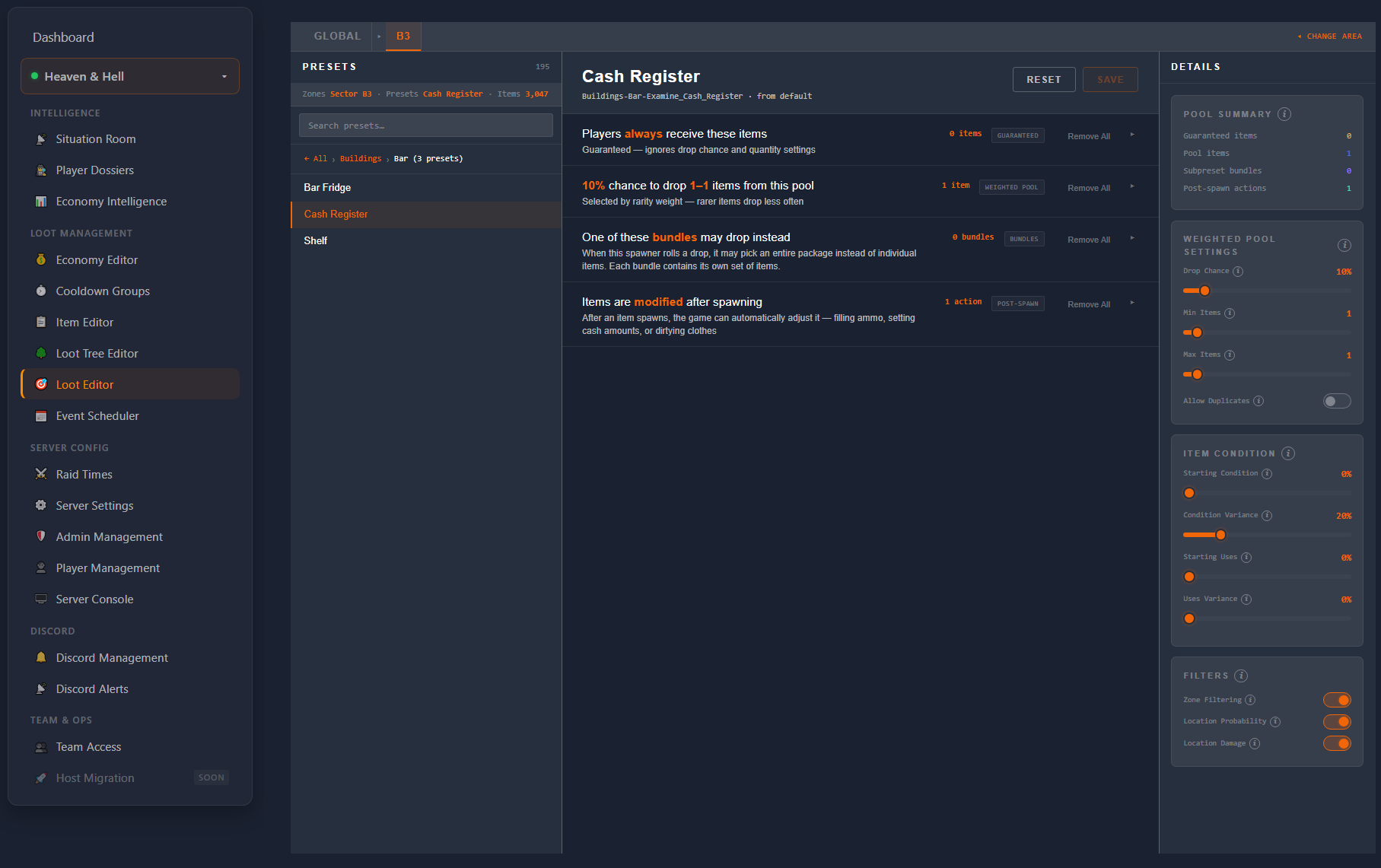
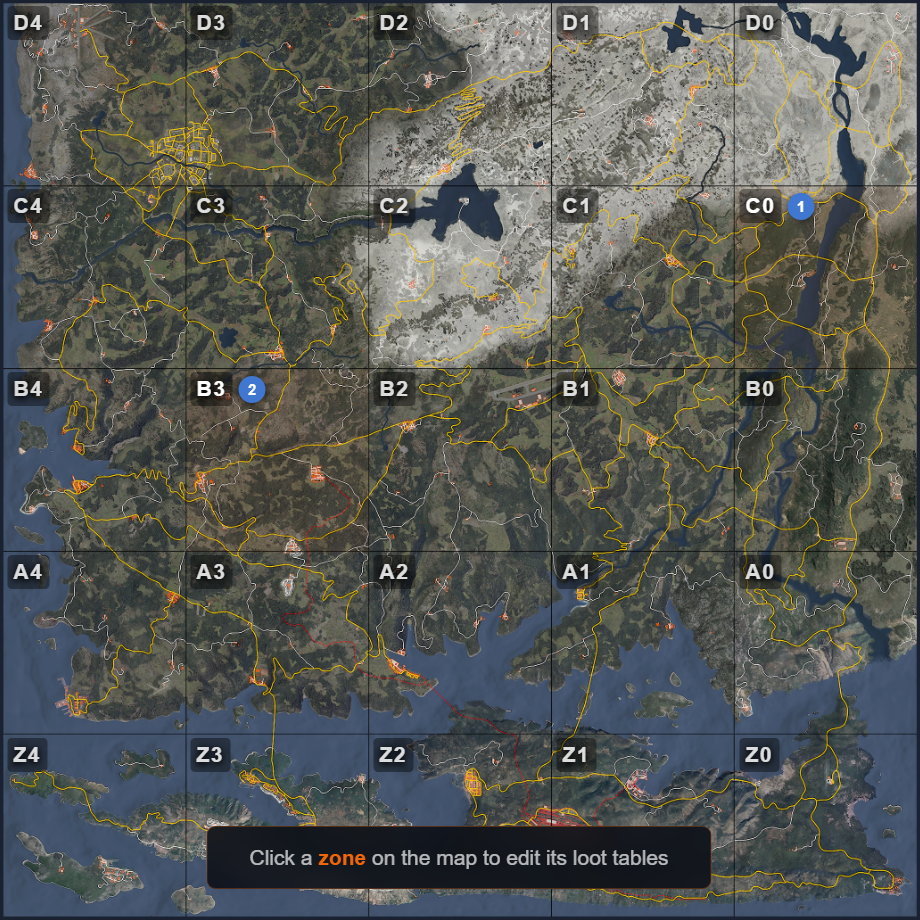
Visual Loot Editor
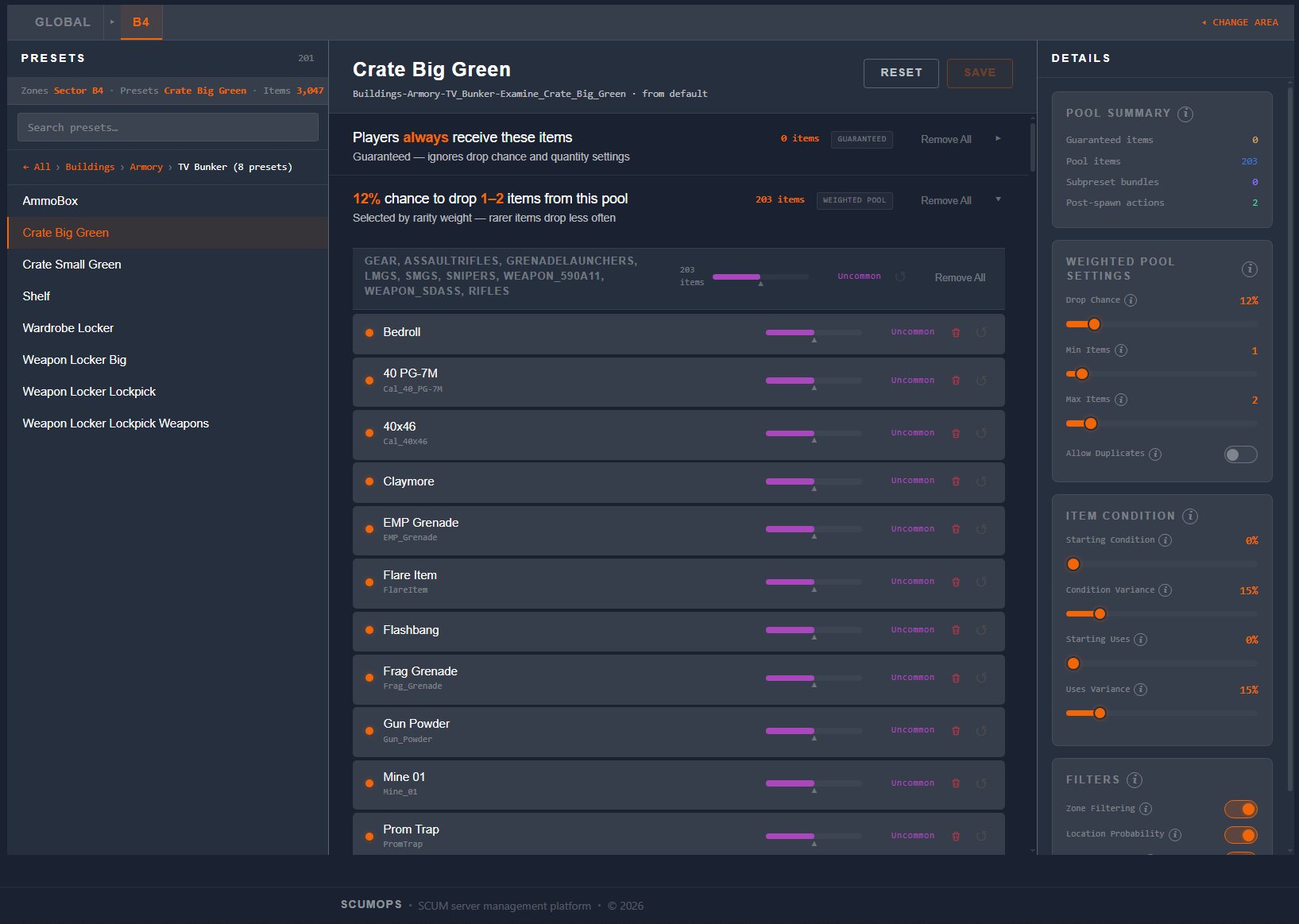
SCUM admins have feared their loot tables since day one. Raw JSON, hundreds of files, one wrong comma and nothing spawns. That era is over. ScumOps gives you a visual editor where you see every item pool, rarity weight, and drop rule — and change them with clicks, not code.
  • Edit spawner presets visually — no JSON, no FTP
  • Zone-based overrides — different loot for different map areas
  • Interactive map with zone selection and sector labels
  • Pull from server, modify, commit — one click
Loot zone map Loot Editor
Automation Never Done Before
Scheduled Loot Events
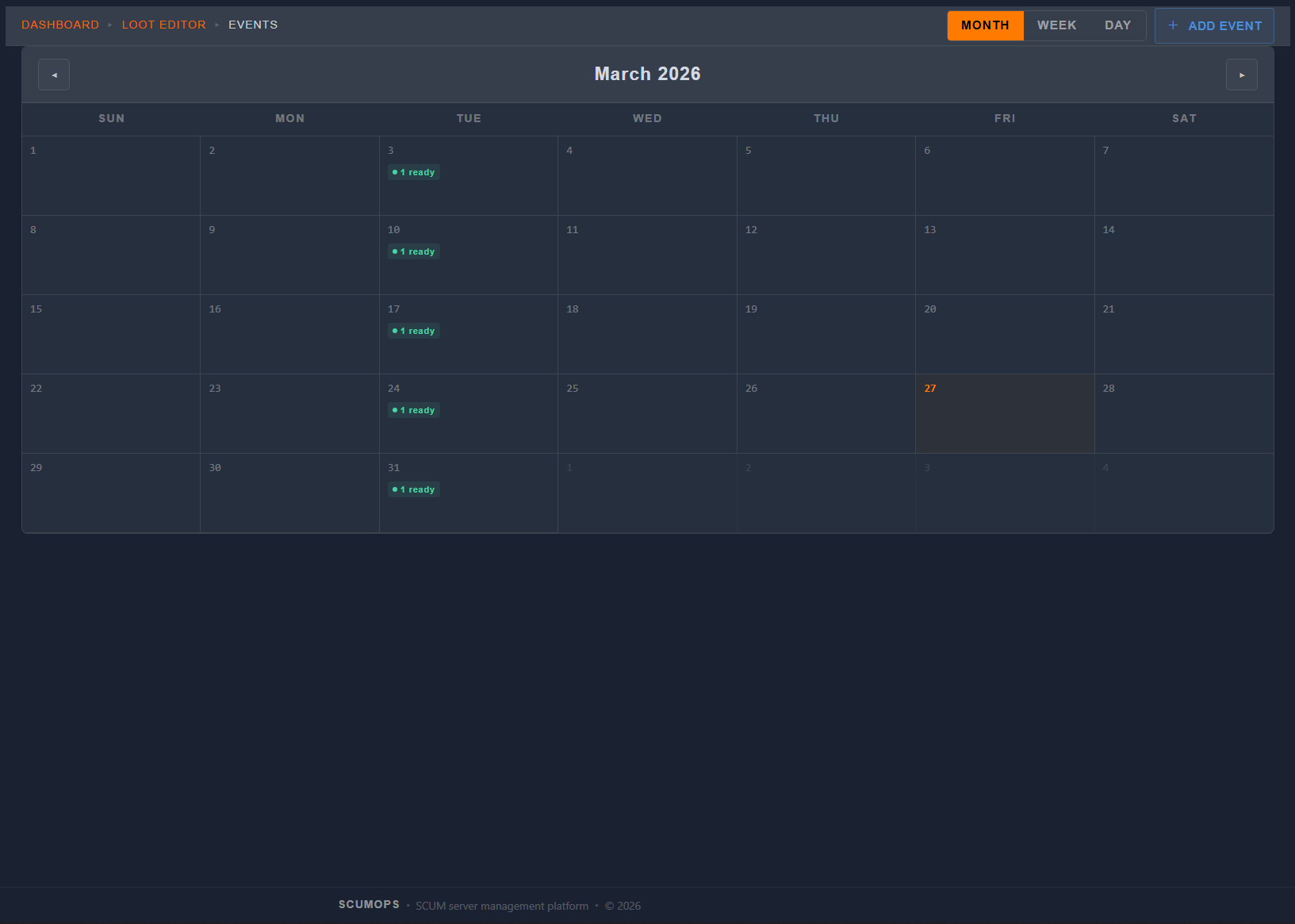
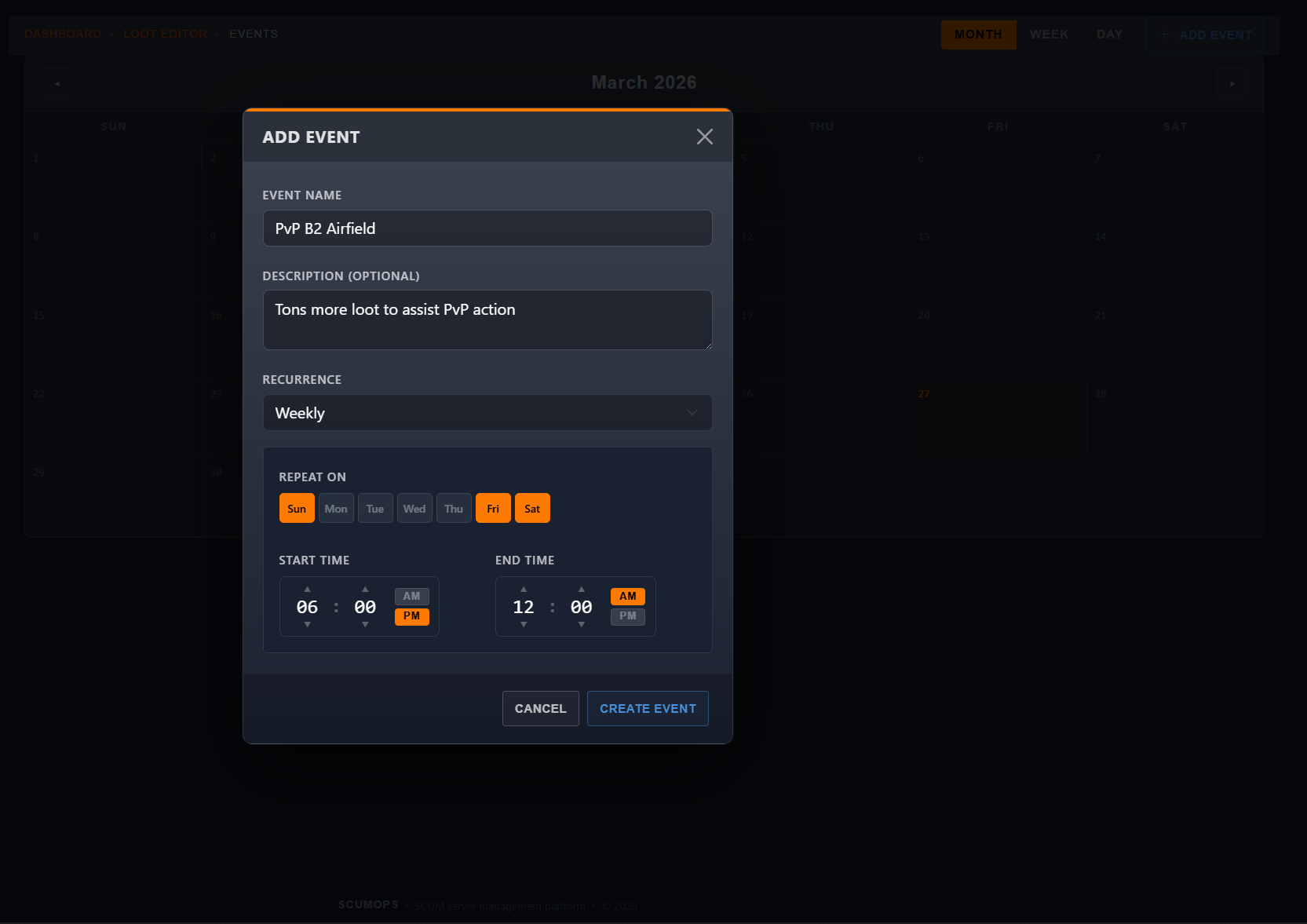
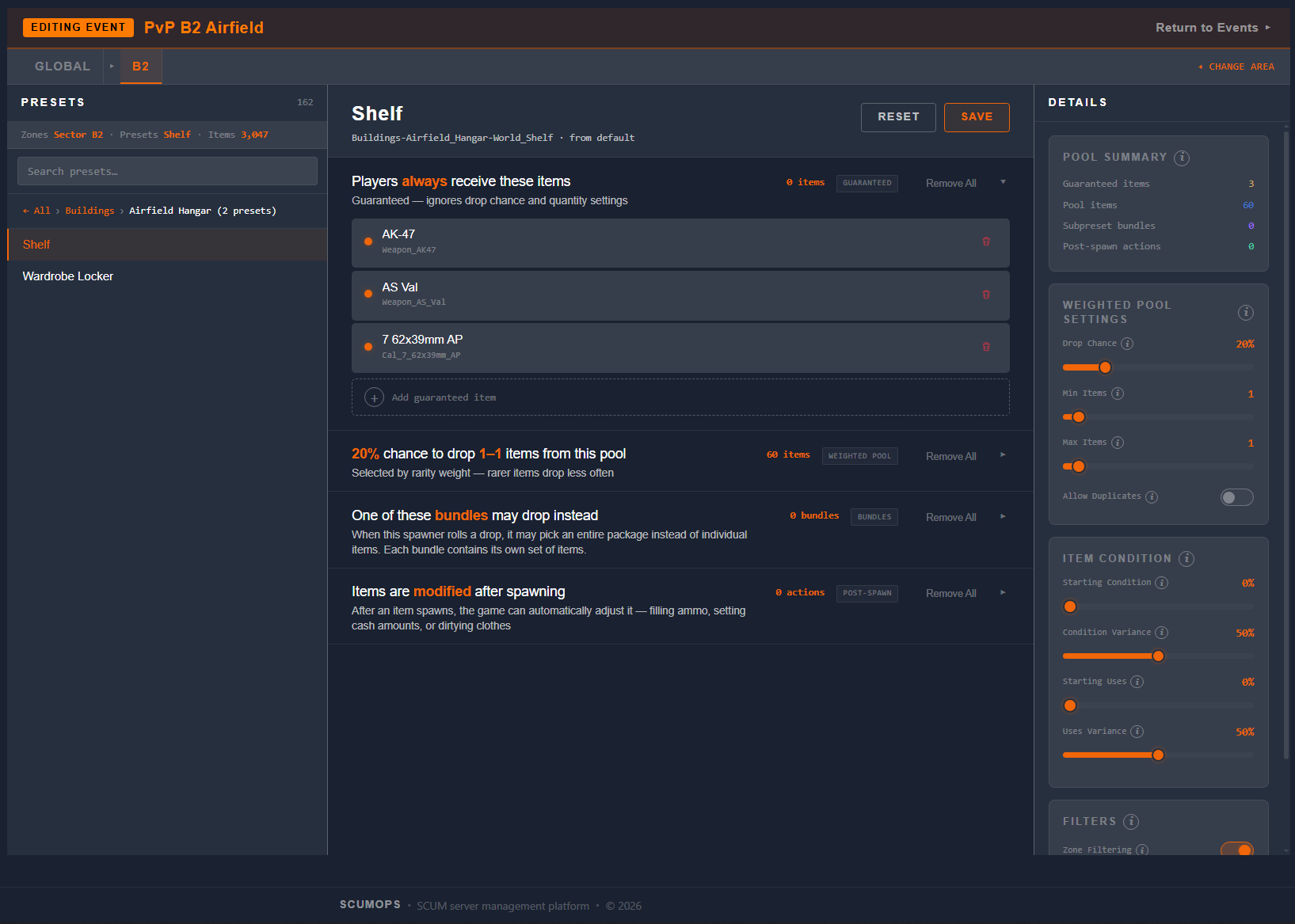
This has never existed in SCUM. Until now. Build a loot event on a visual calendar — a Halloween weekend with rare drops, a Friday night PvP mode with boosted weapons, a holiday event that runs every year. Set it and forget it. ScumOps activates and deactivates your events automatically.
  • Visual calendar — click a day, name your event, set your loot
  • One-time, weekly, biweekly, monthly, or annual
  • Auto-activate and deactivate — zero manual intervention
  • Layer event loot on top of your baseline — no overwriting
  • Baseline auto-restores when the event ends — nothing to clean up
Event calendar Add event popup Loot selection
Real-Time Ops
Situation Room
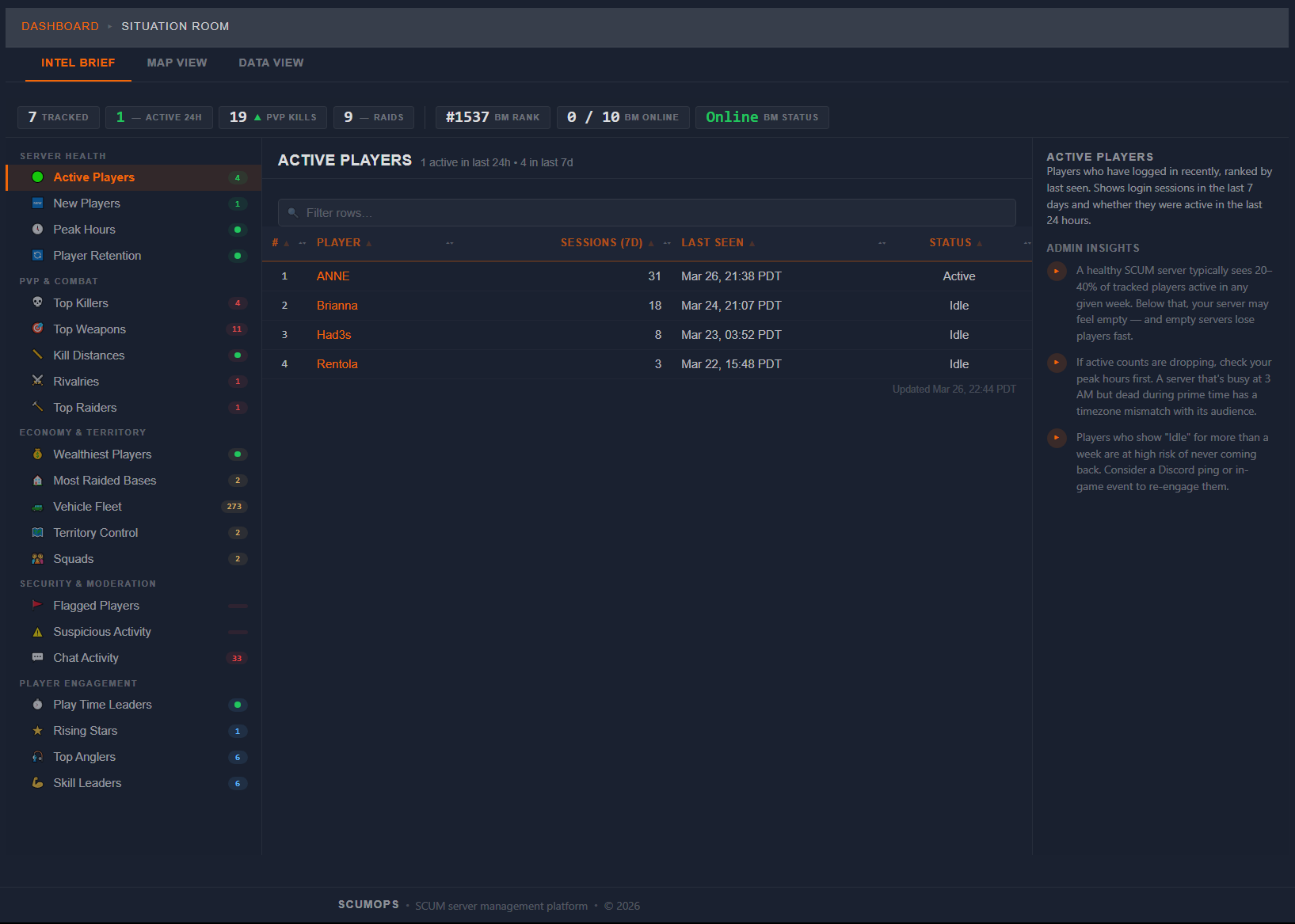
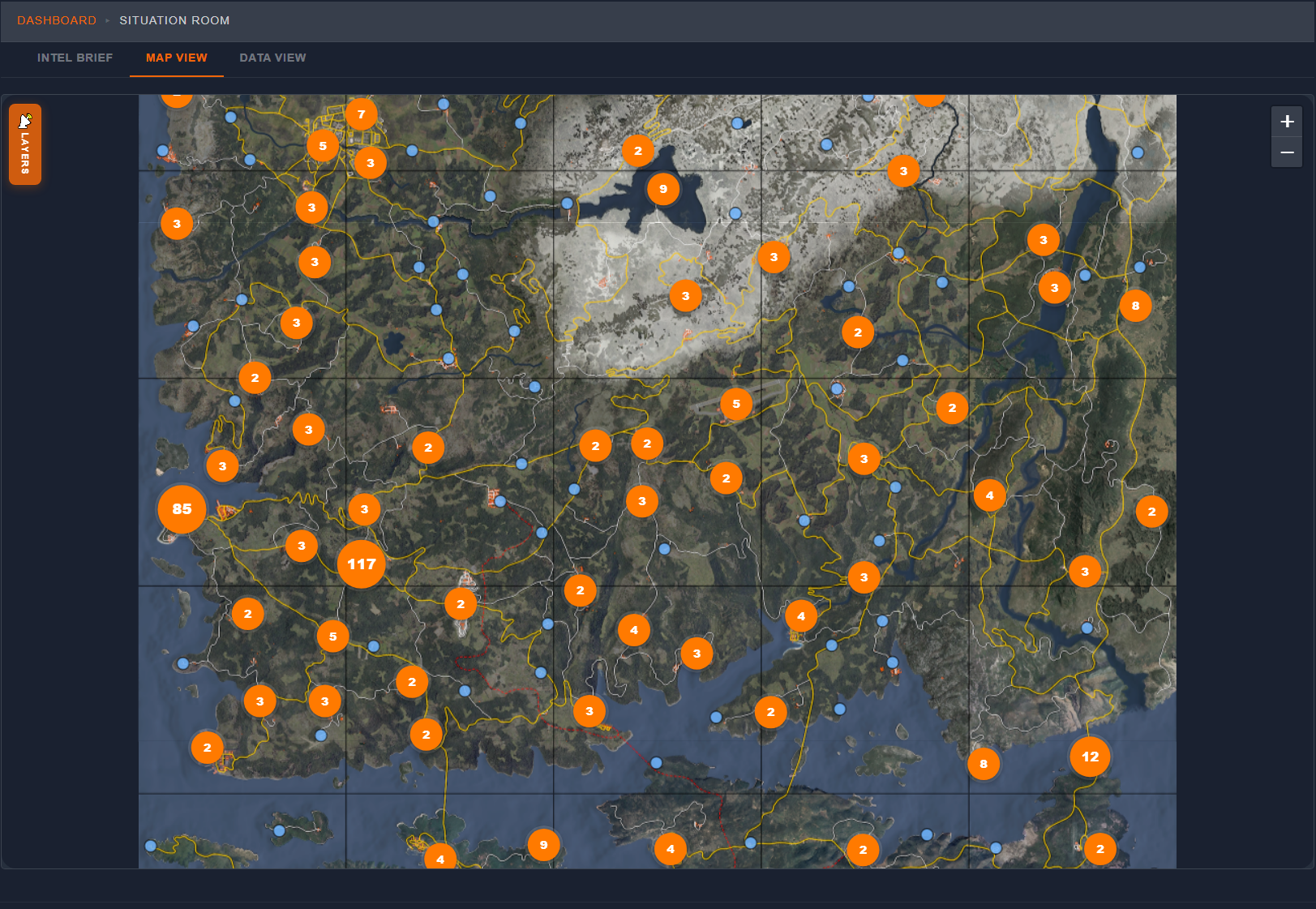
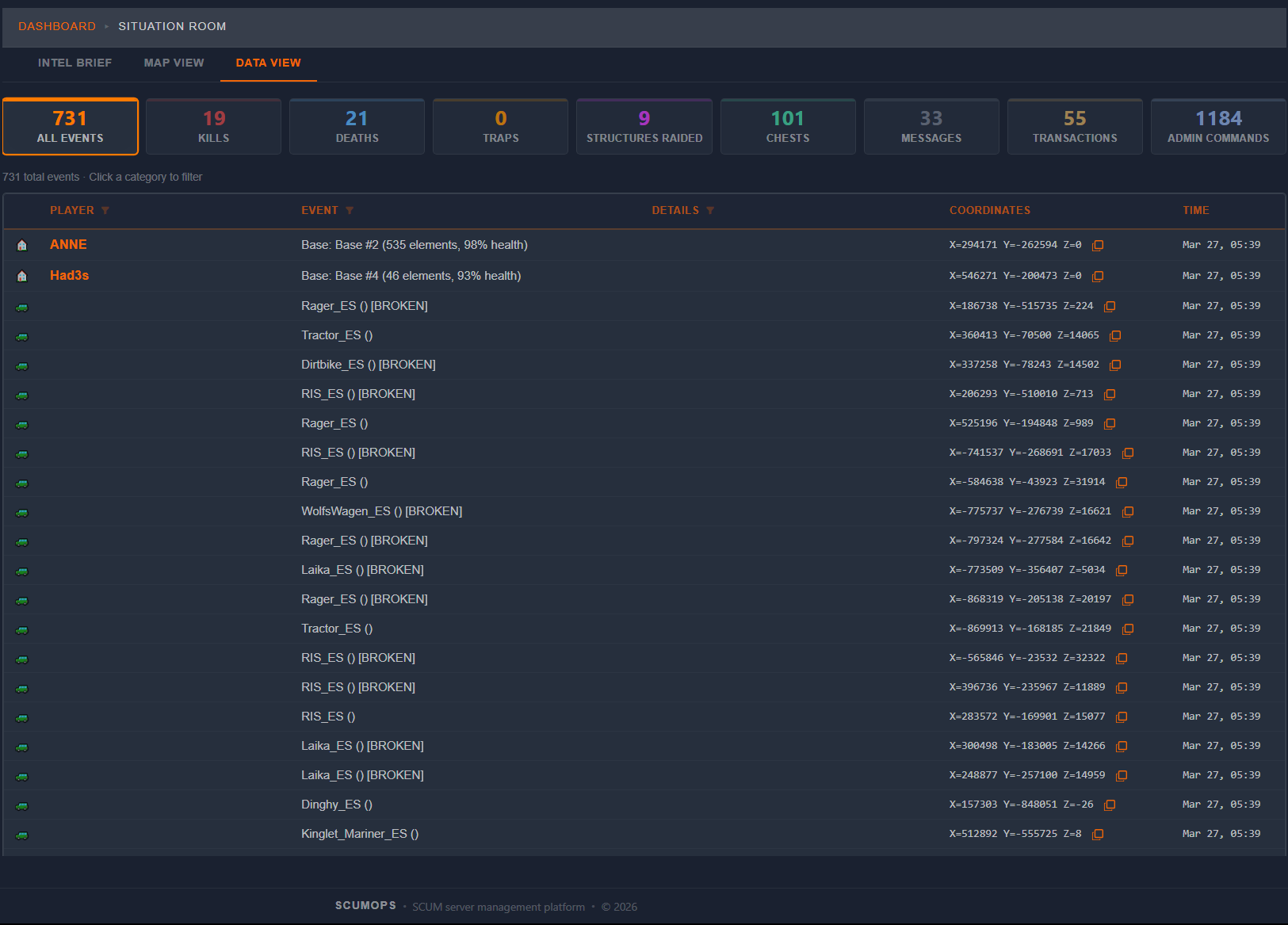
Your server’s pulse in real time. Kill feeds, player activity, chat, admin commands, economy events — all streaming into one unified view. Filter by player, event type, or time range. Spot trouble before it becomes a problem. Drill from any event into a player’s full dossier with a single click.
  • Live event feeds — kills, chat, logins, economy, admin actions
  • Chainable column filters — narrow by player, event type, details
  • BattleMetrics integration — rank, online count, server status
  • One-click drill to any player’s full dossier
Situation Room Intel Brief Situation Room Map View Situation Room Data View
Intelligence
Player Dossiers
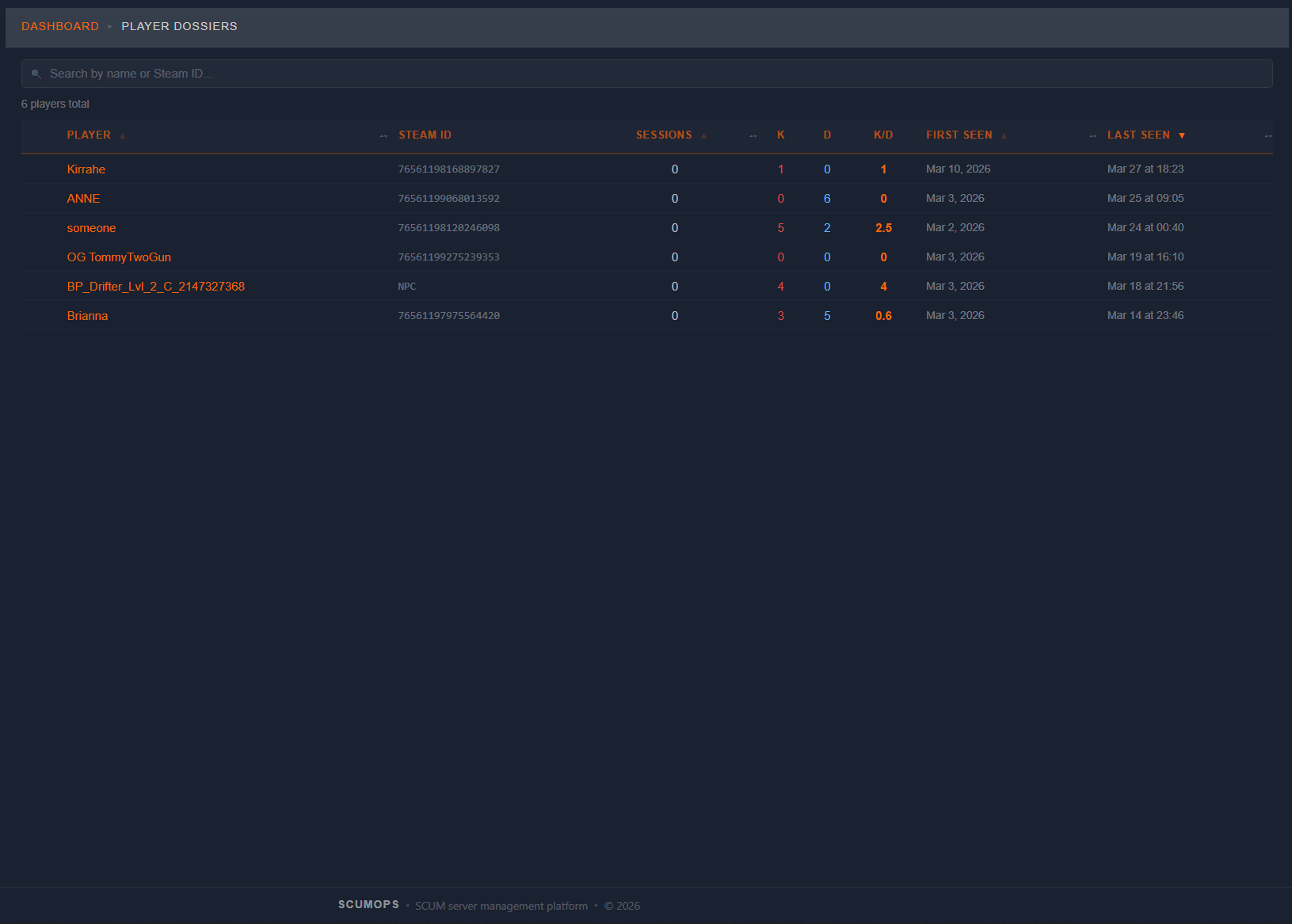
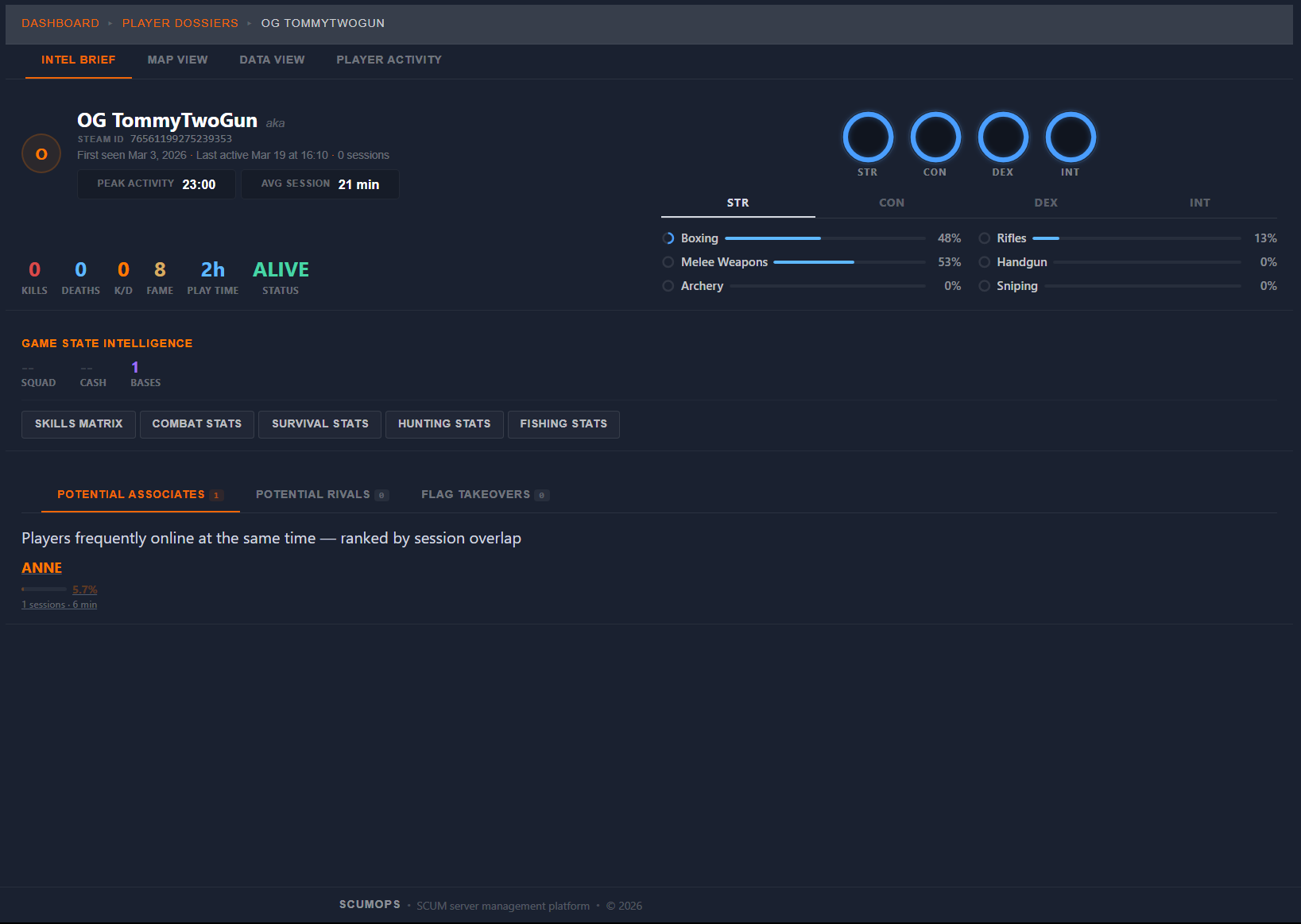
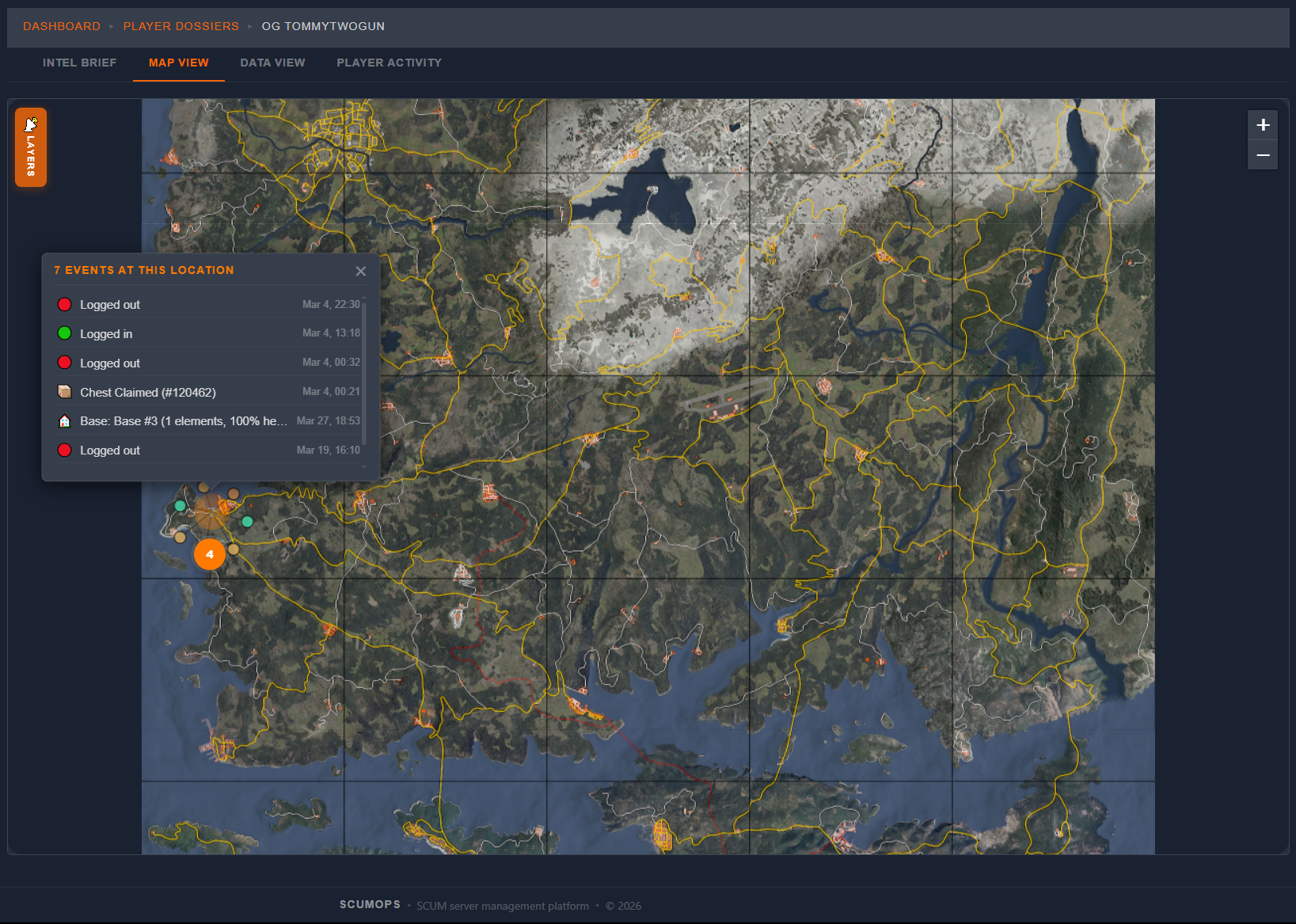
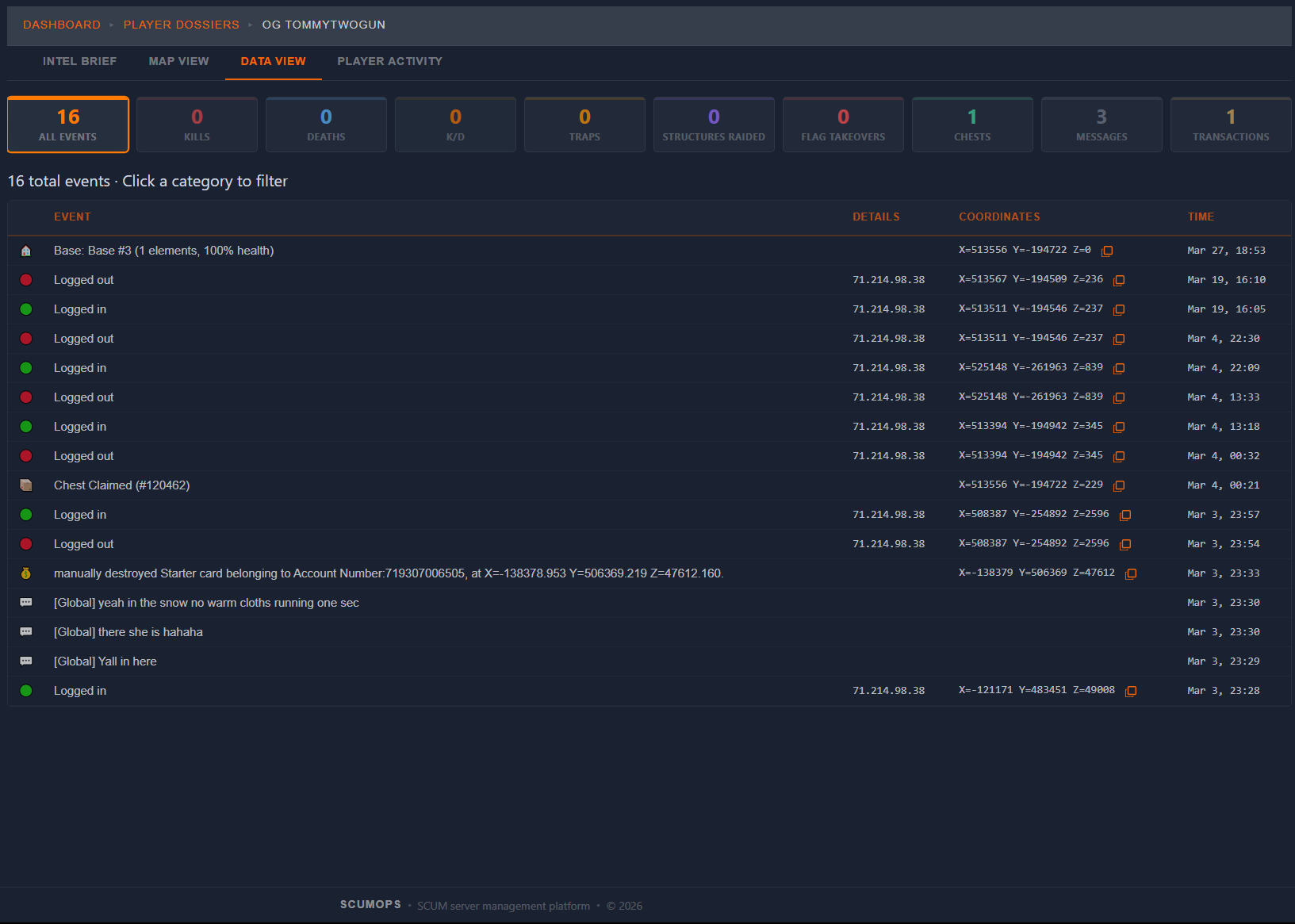
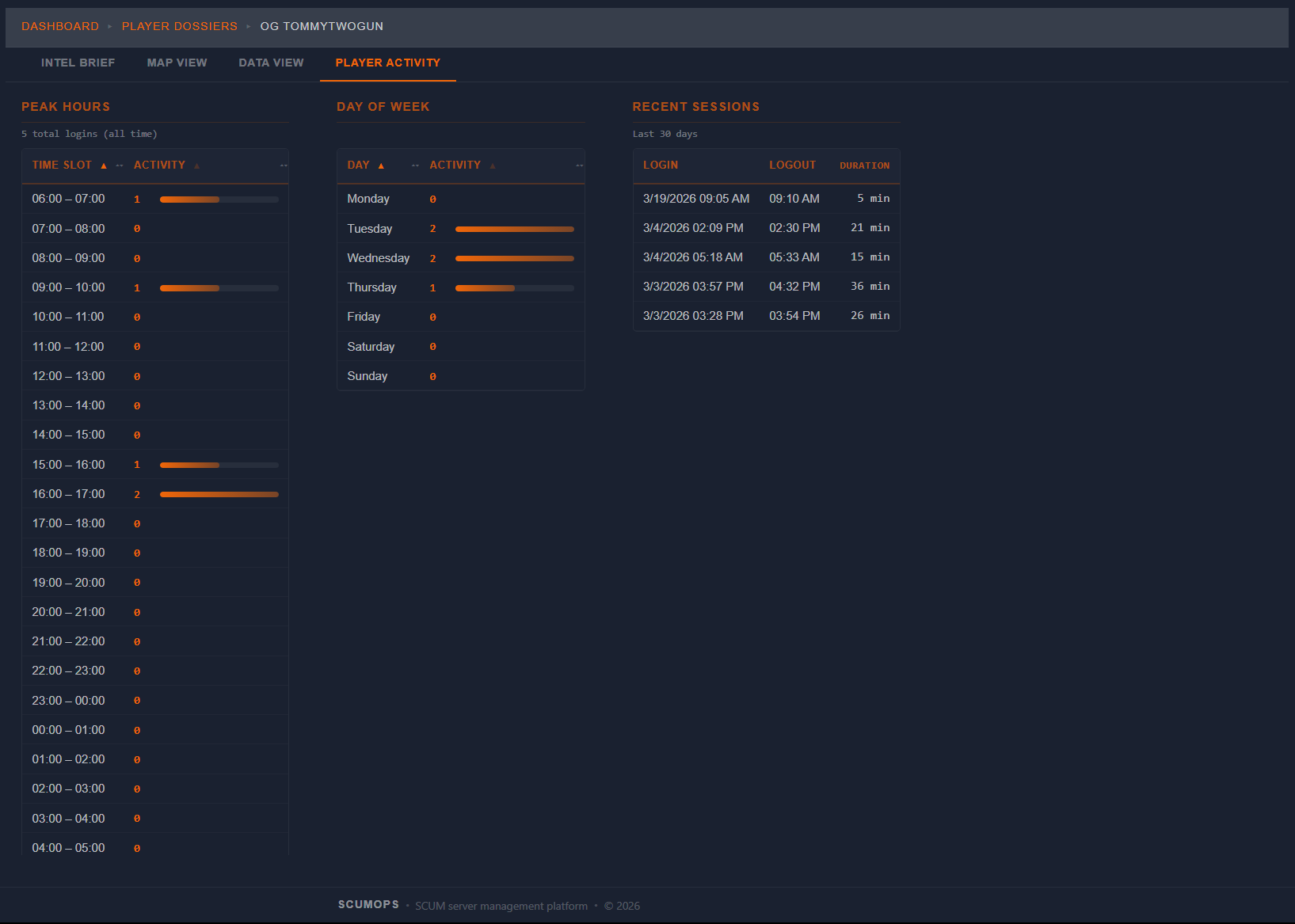
Other tools show you log tables. ScumOps tells you the story. Click any player and see their entire footprint — kills, deaths, economy, bases, chat, squad associations, activity patterns. Drill from any event to related data. Pull up their activity on a map. Know who you’re dealing with before you act.
  • Intel Brief — combat style, associates, rivals, home base detection
  • Activity map — kills, bases, flag captures plotted geographically
  • Player activity patterns — peak hours, session history
  • Full timeline with context, not just lines in a log
Player List Player Dossier Intel Brief Player Dossier Map View Player Dossier Data View Player Activity
Economy
Economy Intelligence
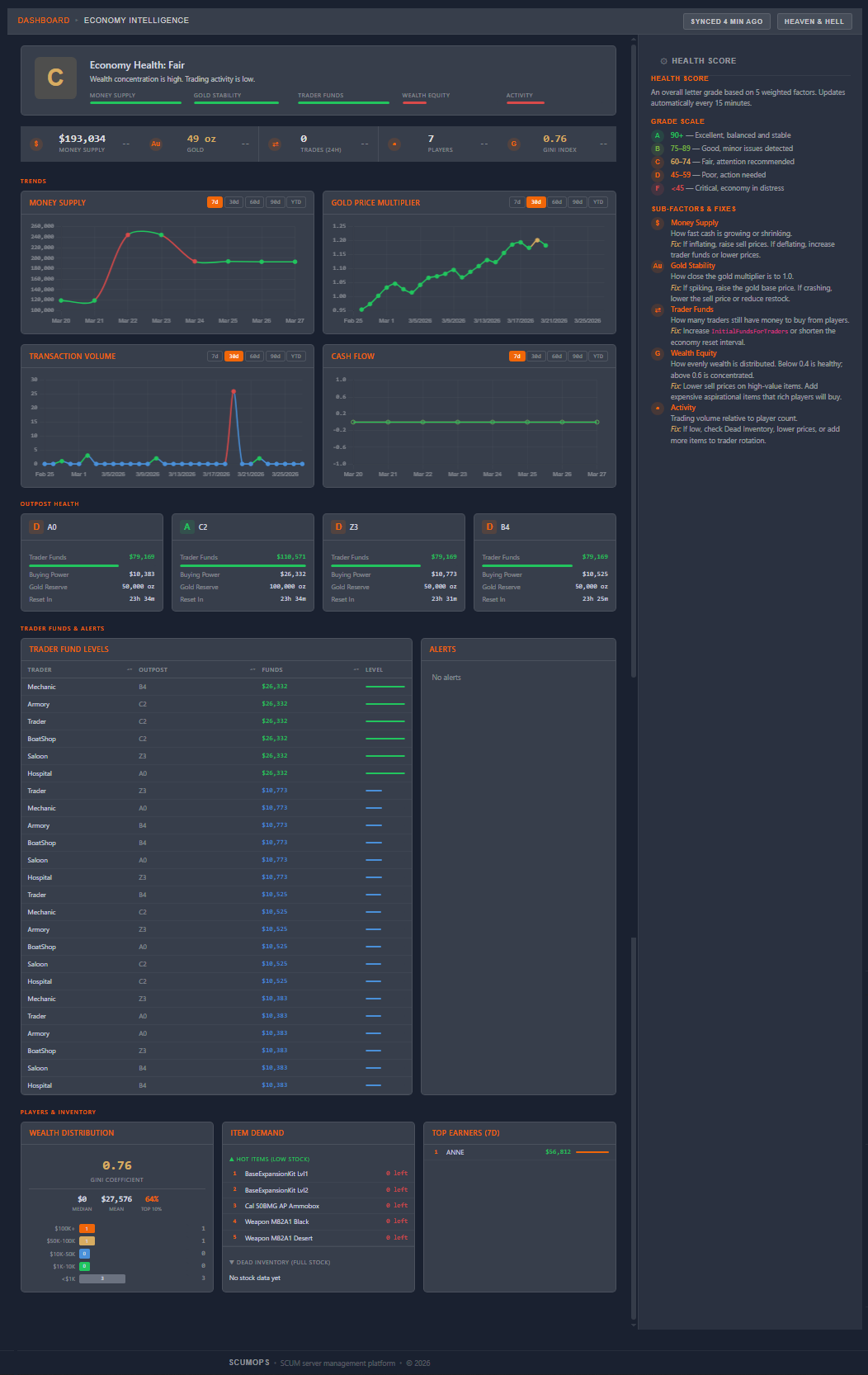
Your server’s economy is a living system. ScumOps monitors its health — tracking merchant transactions, player banking, and item flow. When something looks wrong — inflation, exploits, imbalanced drops — you’ll know. And you won’t just see the problem. You’ll see exactly where to fix it.
  • Economy health grade — A through F, updated in real time
  • Trend charts — money supply, gold prices, outpost prosperity
  • Anomaly detection — flags suspicious patterns automatically
  • Per-outpost and per-trader breakdowns with drill-through
Economy Intelligence dashboard
Asset Management
Item Editor
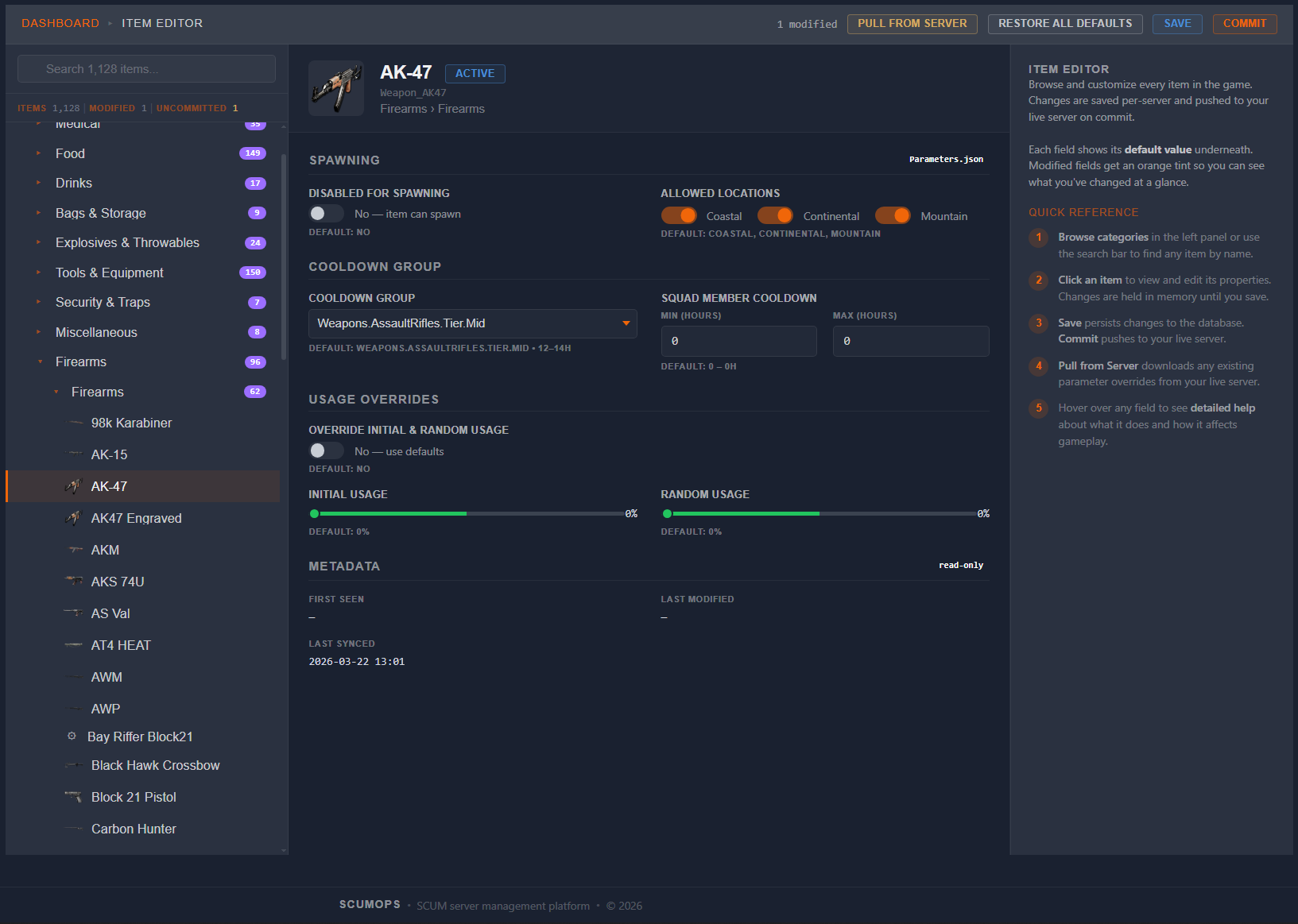
Browse and customize every item in the game — over 3,200 items synced directly from SCUM’s game files. View item images, toggle spawn availability, restrict locations, adjust usage and damage values. Every change is tracked and only pushed to your server when you say so.
  • Full asset catalog — 3,200+ items with images, synced from pak files
  • Category tree navigation with search
  • Per-item spawn control, location restrictions, usage overrides
  • Modified fields highlighted — see what you’ve changed at a glance
Item Editor
Loot Structure
Loot Tree Editor
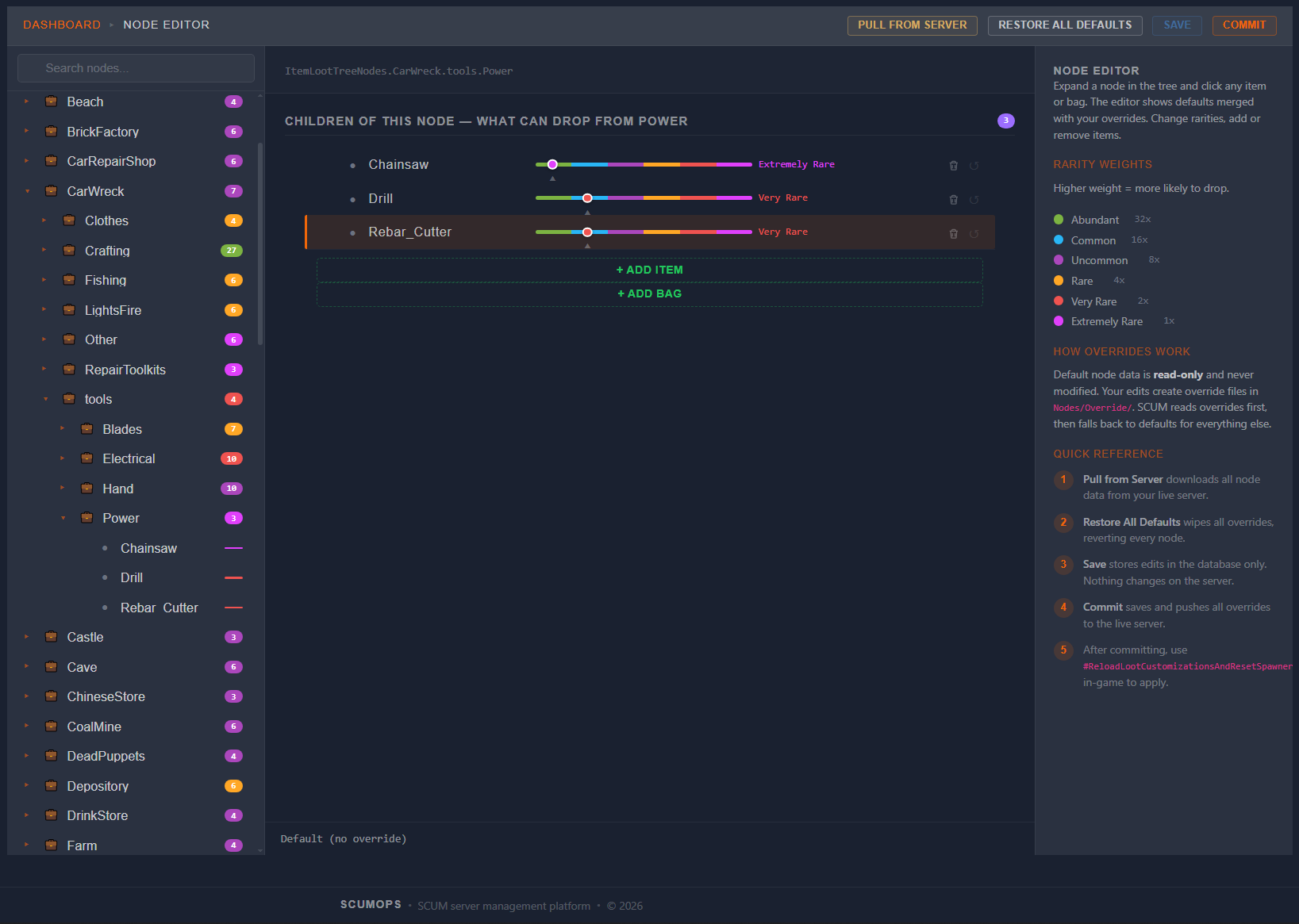
The loot tree is the backbone of SCUM’s spawn system — a hierarchy of 9,000+ nodes that determines what can appear where. ScumOps lets you navigate, expand, and override any node in the tree. Add items, adjust probabilities, and see the full parent-child structure at a glance.
  • Visual loot tree — expandable hierarchy with search
  • Override any node — add items, change probabilities, set quantities
  • Rarity legend — color-coded probability breakdown
  • Item picker with thumbnails — search and add items visually
Loot Tree Editor
Loot Tuning
Cooldown Group Editor
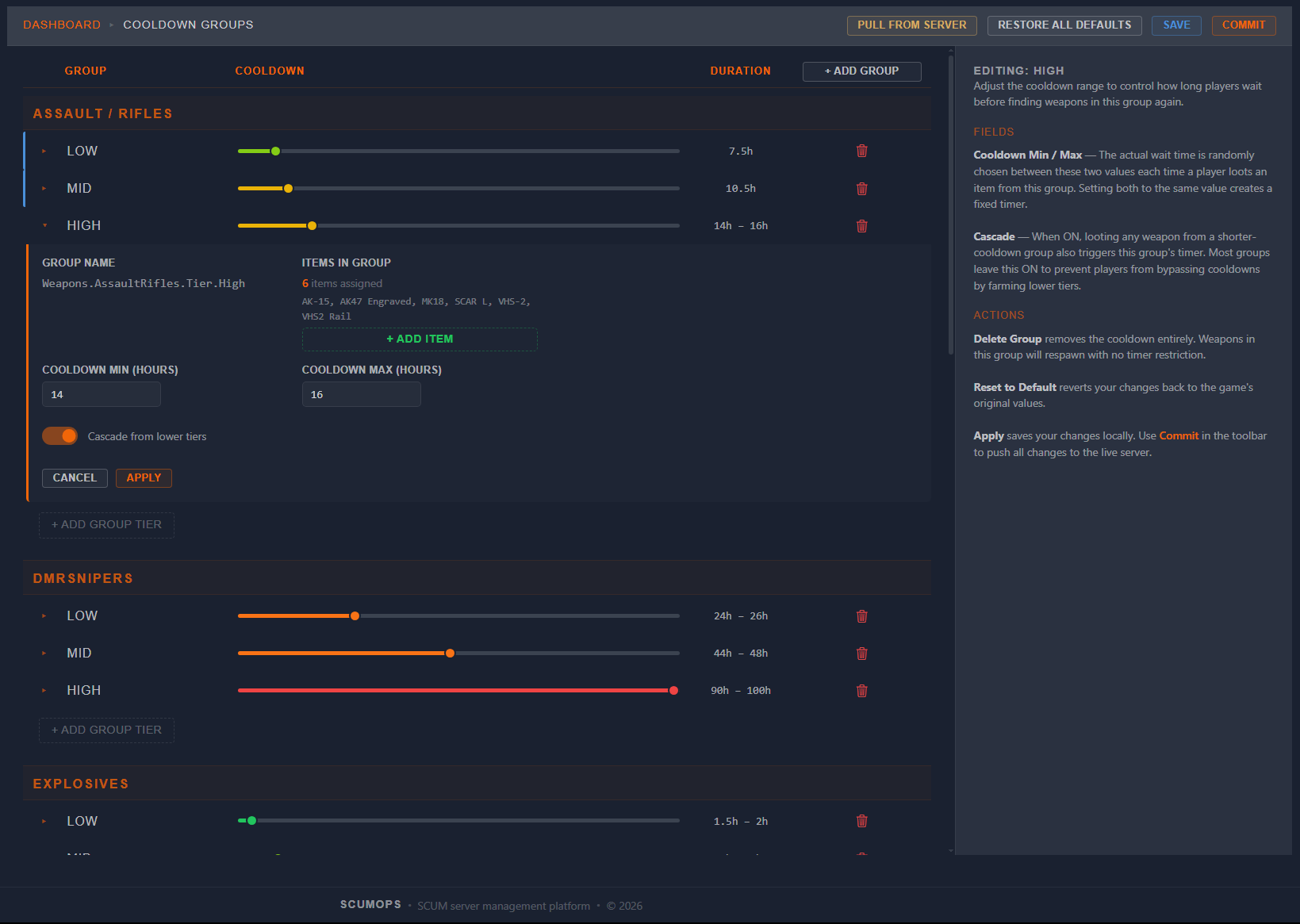
Cooldown groups control how long players wait before finding the same type of weapon again. ScumOps gives you visual heat sliders to tune each tier, create custom groups, and reassign items between tiers — all without touching JSON. See every weapon family, every cooldown duration, and every cascade rule at a glance.
  • Visual heat sliders — drag to adjust cooldown durations
  • Custom groups — build your own tiers with naming conventions
  • Cascade control — lower-tier cooldowns automatically affect higher tiers
  • Item reassignment — move weapons between groups with a click
Cooldown Group Editor
Server Config
Economy
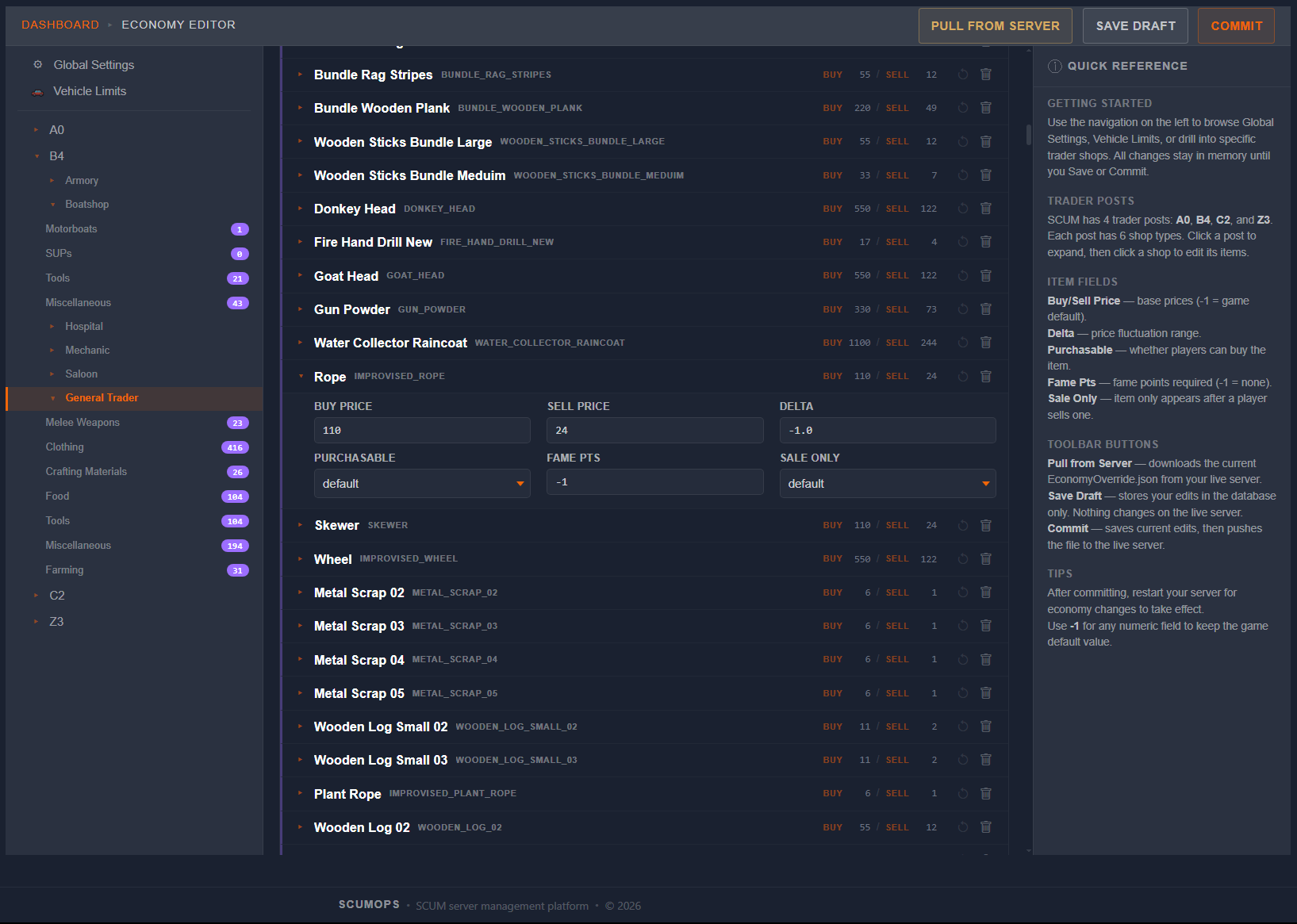
Configure your server’s economy without deciphering JSON files. Tweak global economy settings, customize trader inventories per outpost, adjust pricing and stock levels. Navigate by outpost, shop type, and item category — all with the same pull, edit, commit workflow.
  • 22 global economy settings with visual controls
  • Per-trader item overrides across all 4 outposts
  • Navigate by outpost, shop, and in-game category
  • Pull, edit, commit — same workflow across all config tools
Economy
Base Protection
Raid Times
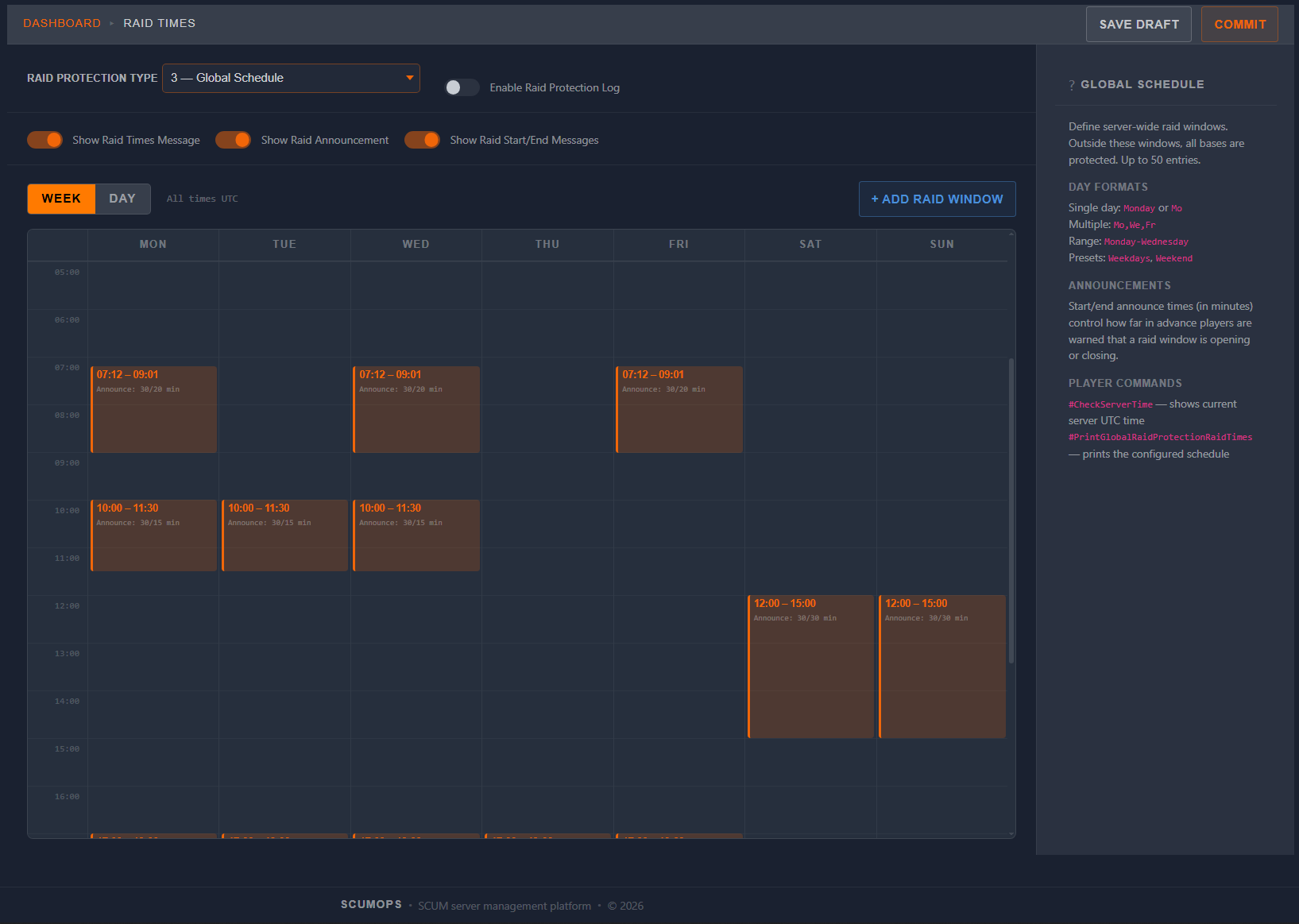
Set up raid protection exactly how your community wants it. Four protection types — Off, Offline, Flag Specific, and Global Schedule — each with purpose-built UI. Global Schedule mode gives you a visual week/day calendar to define exactly when raiding is allowed.
  • Four protection types with dedicated UI for each
  • Visual week/day calendar for Global Schedule mode
  • Duration pickers, cooldowns, and announcement settings
  • One-click commit to your live server
Raid Times Editor
Server Config
Server Settings
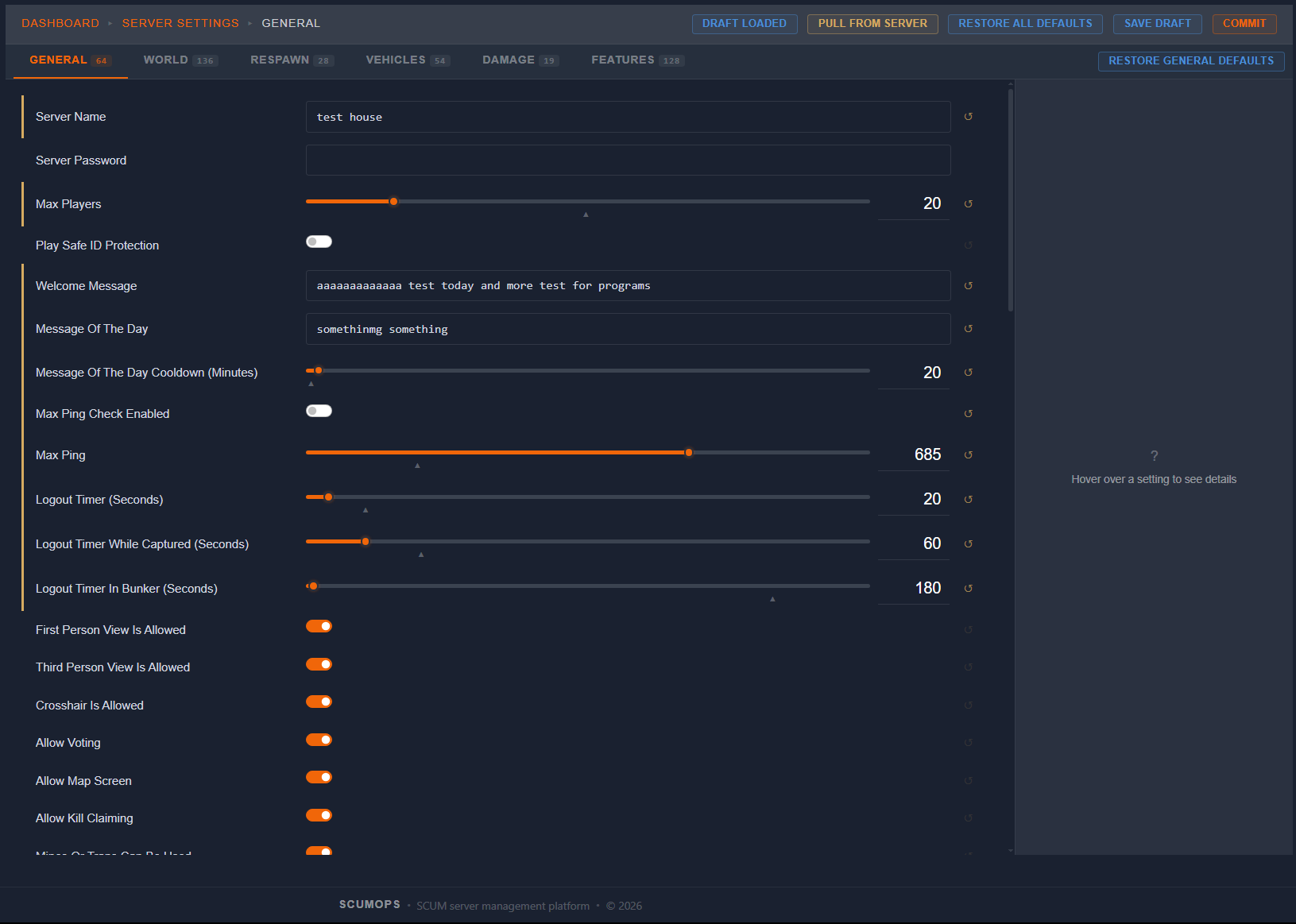
Every server parameter — organized exactly how you see it in-game. If you’ve used SCUM’s in-game server settings, you already know how this works. Same categories, same layout, same options. The only tab not included is Custom Zones. Everything else is here, searchable, and one click from your live server.
  • Mirrors SCUM’s in-game settings — instantly familiar
  • Every category and parameter, organized and searchable
  • Context-sensitive help for every setting
  • Pull, edit, commit — no manual INI editing
Server Settings
Access Control
Admin, Player & Team Management
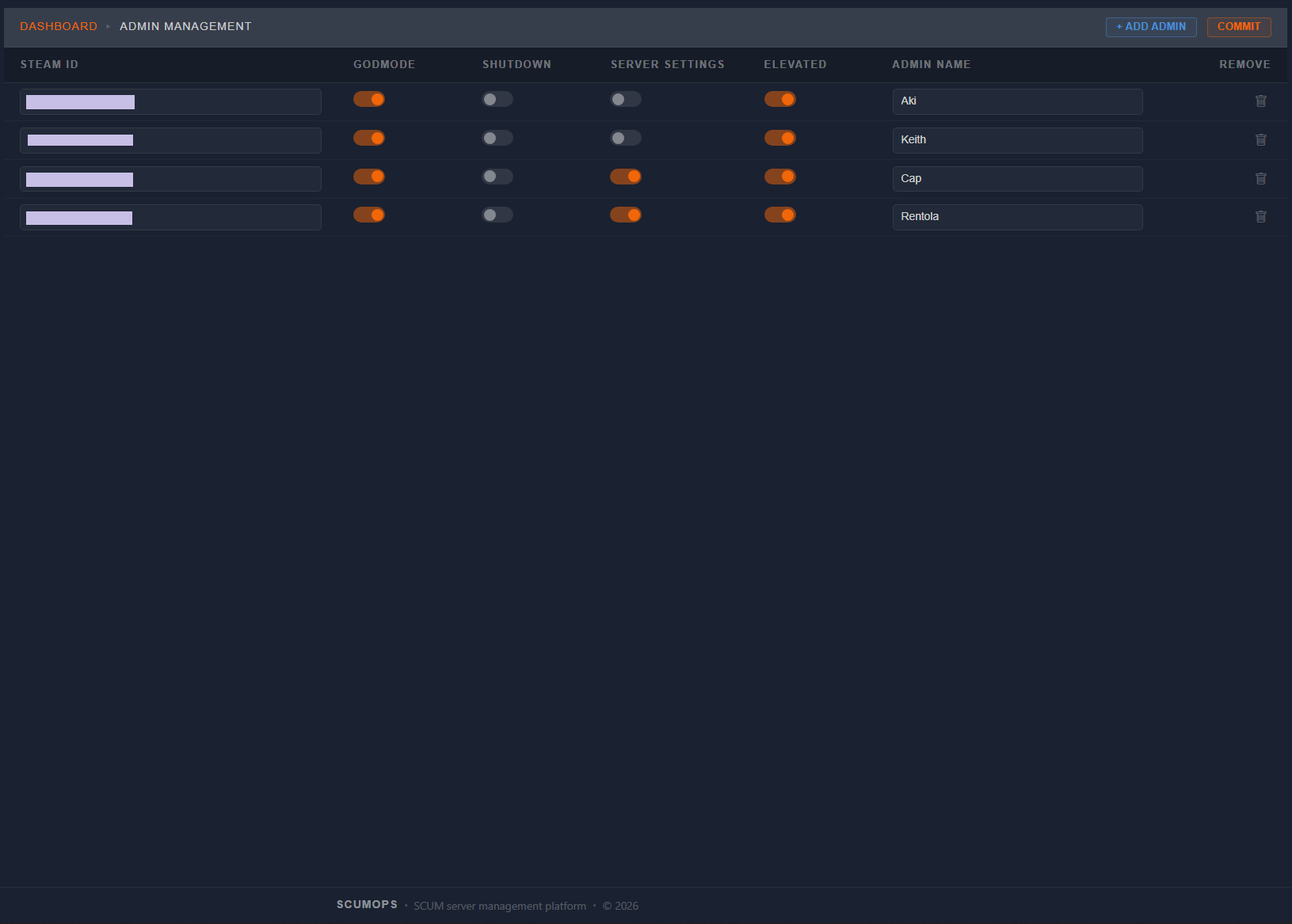
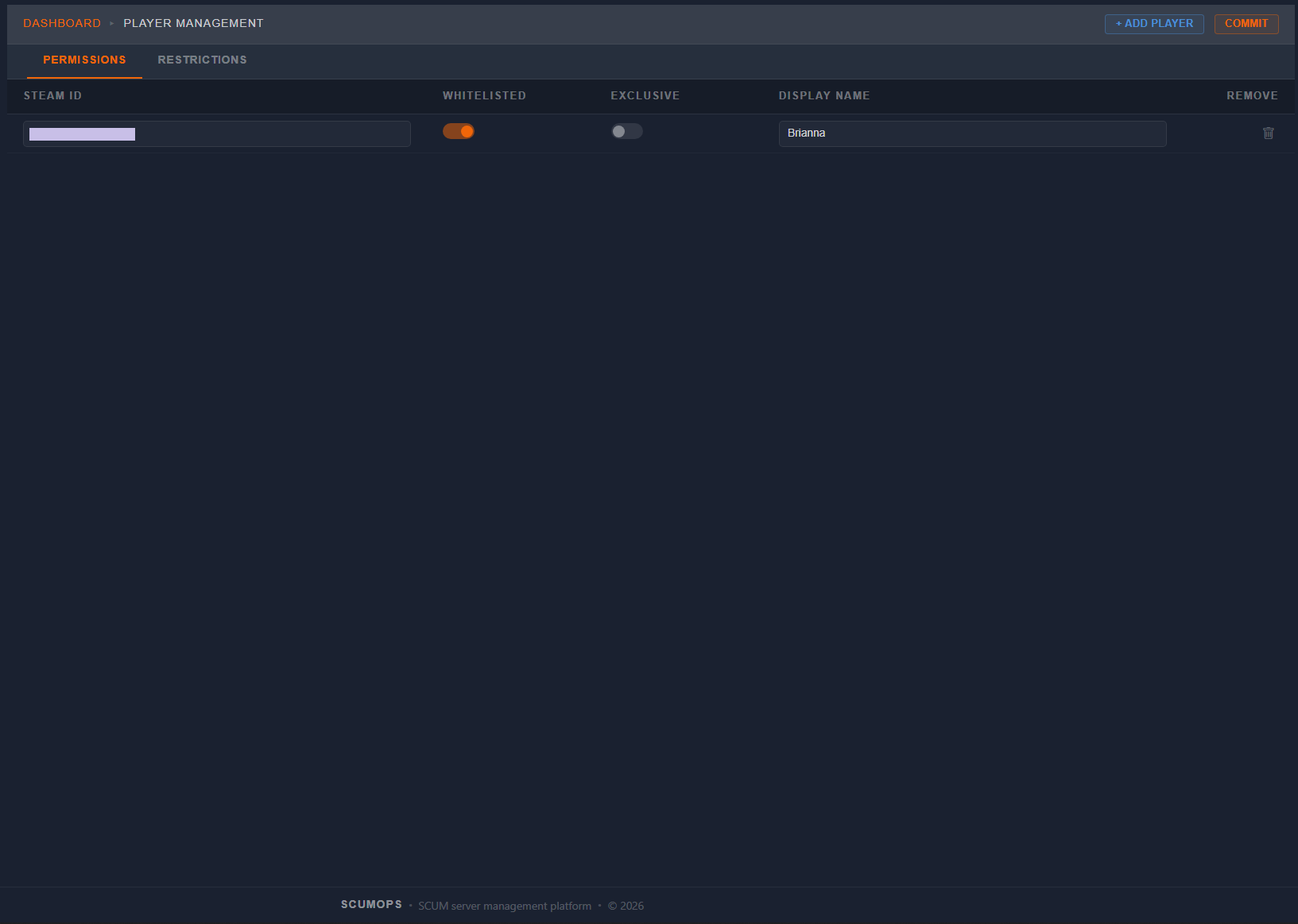
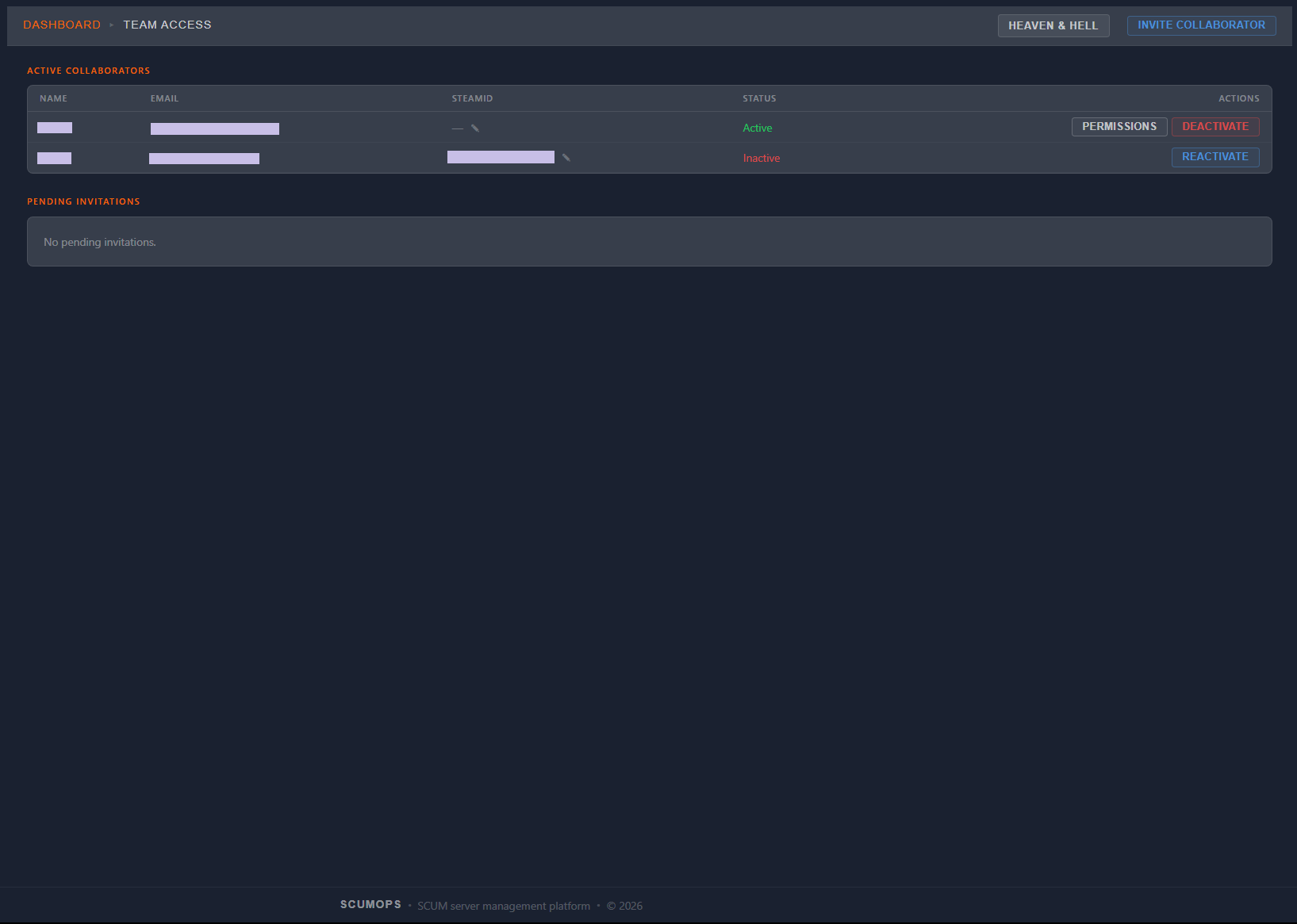
Manage who has access to your server and your SCUMOps dashboard. Add admin users and elevated players directly — committed to your live server. Invite collaborators to your dashboard with granular per-feature permissions — Hidden, Read, or Write access for every tool.
  • Admin Management — add and remove server admins
  • Player Management — manage elevated players and permissions
  • Team Access — invite collaborators with per-feature access control
  • Full audit trail on every action
Admin Management Player Management Team Access
Communication
Discord Integration
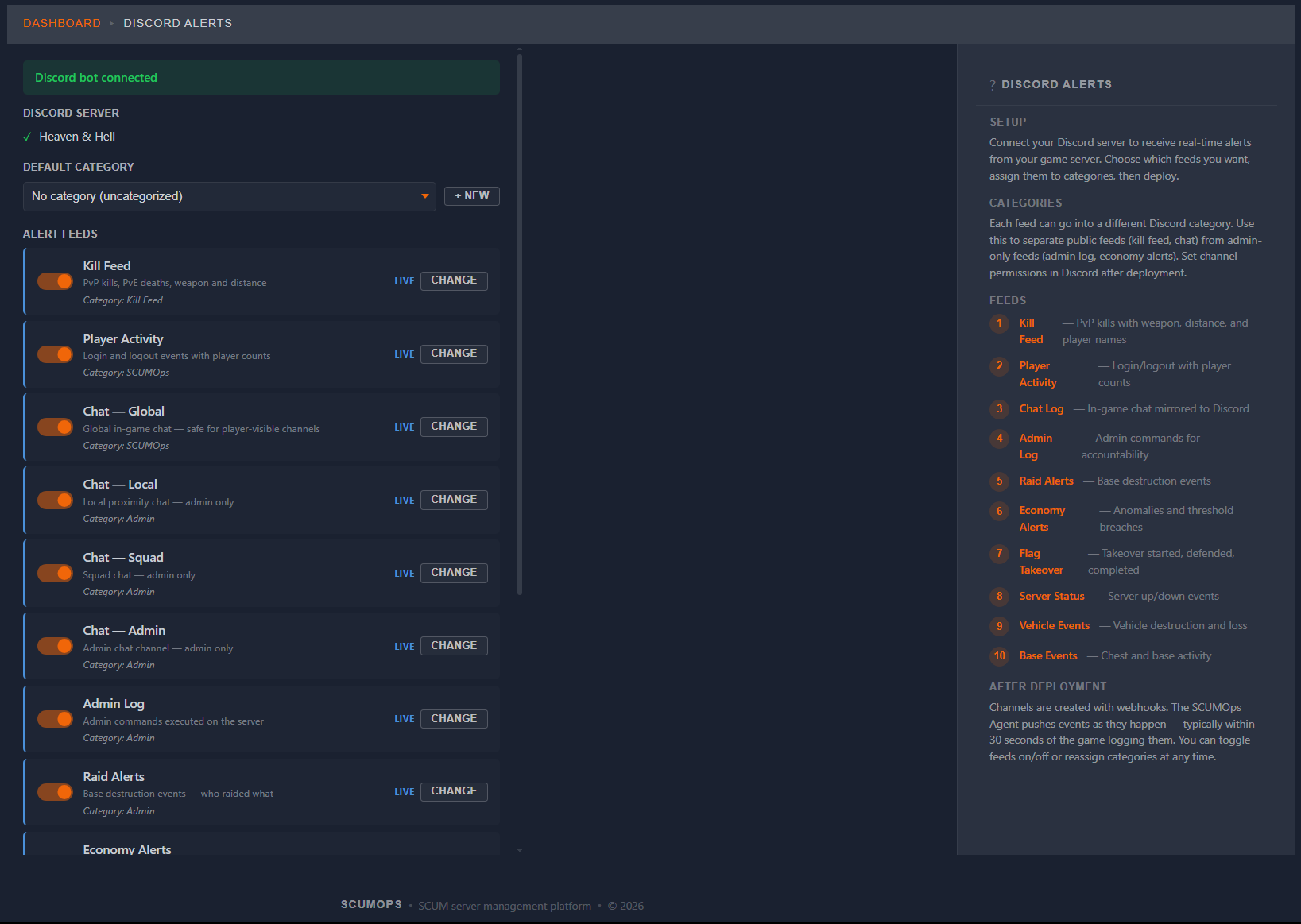
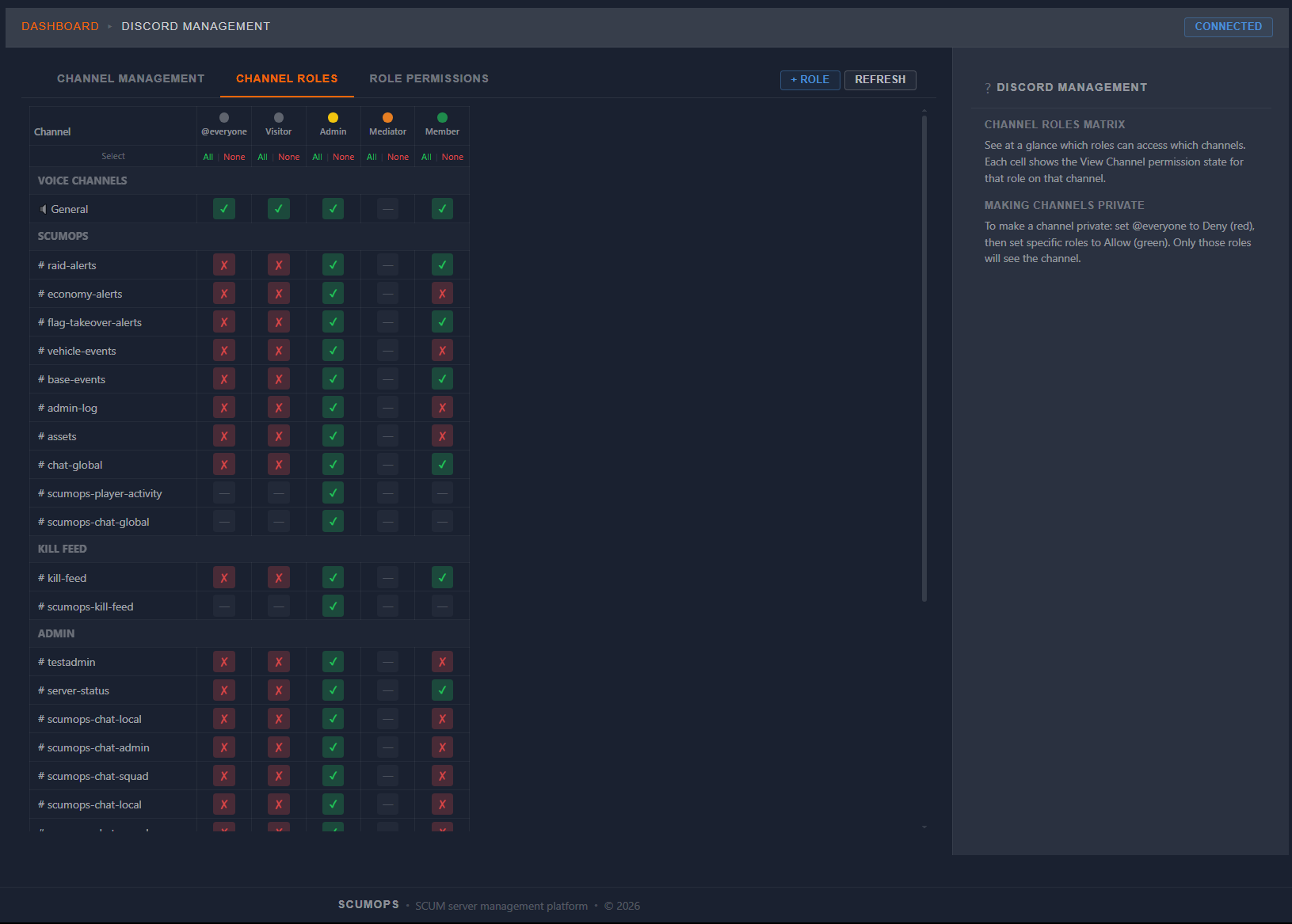
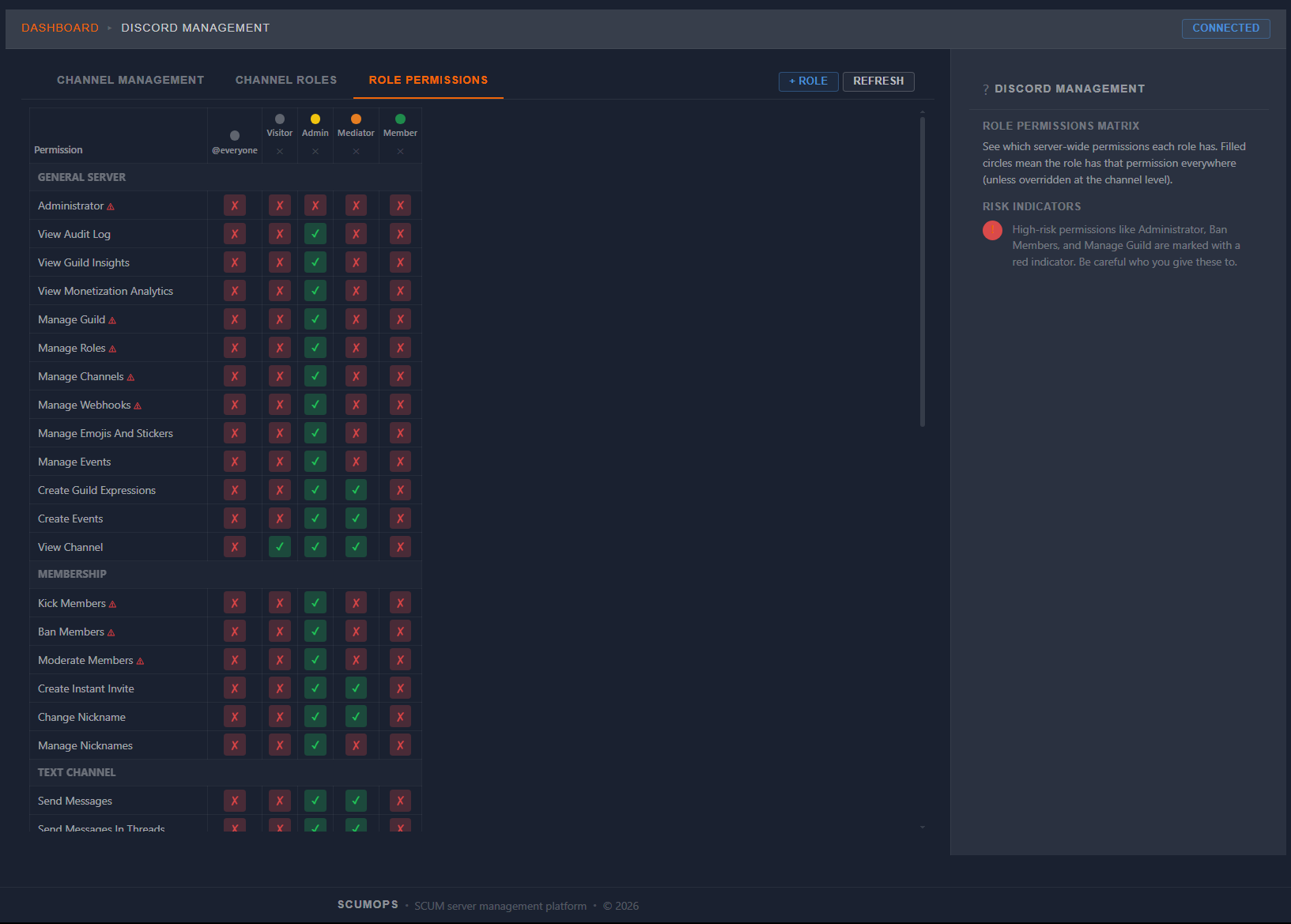
Your community lives in Discord. Now your server does too. Connect ScumOps to your Discord server and route any event to the exact channel where it belongs. Kill feed, admin actions, economy alerts, flag captures, raid warnings — all delivered as rich embeds with weapon images, player stats, and dossier links.
  • 10 feed types — kills, chat, admin, economy, raids, flags, and more
  • Rich embeds — weapon images, K/D stats, clickable dossier links
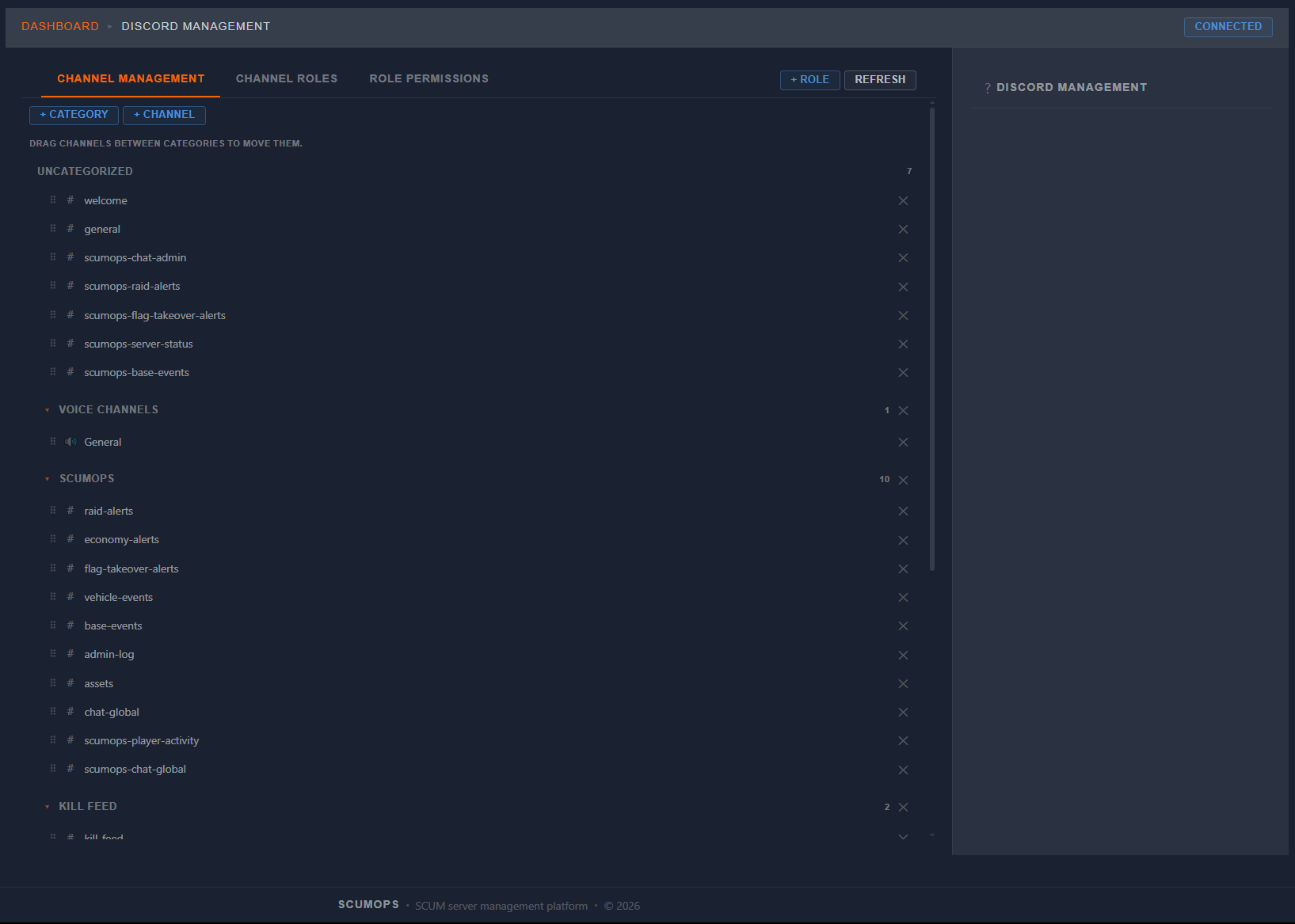
  • Channel management — create, reorder, assign roles from ScumOps
  • One-click channel deployment with auto-webhook setup
Discord Alerts Setup Discord Channel Management Discord Channel Roles Matrix Discord Role Permissions
APPS CATALOG
Modular admin apps — install what you need.
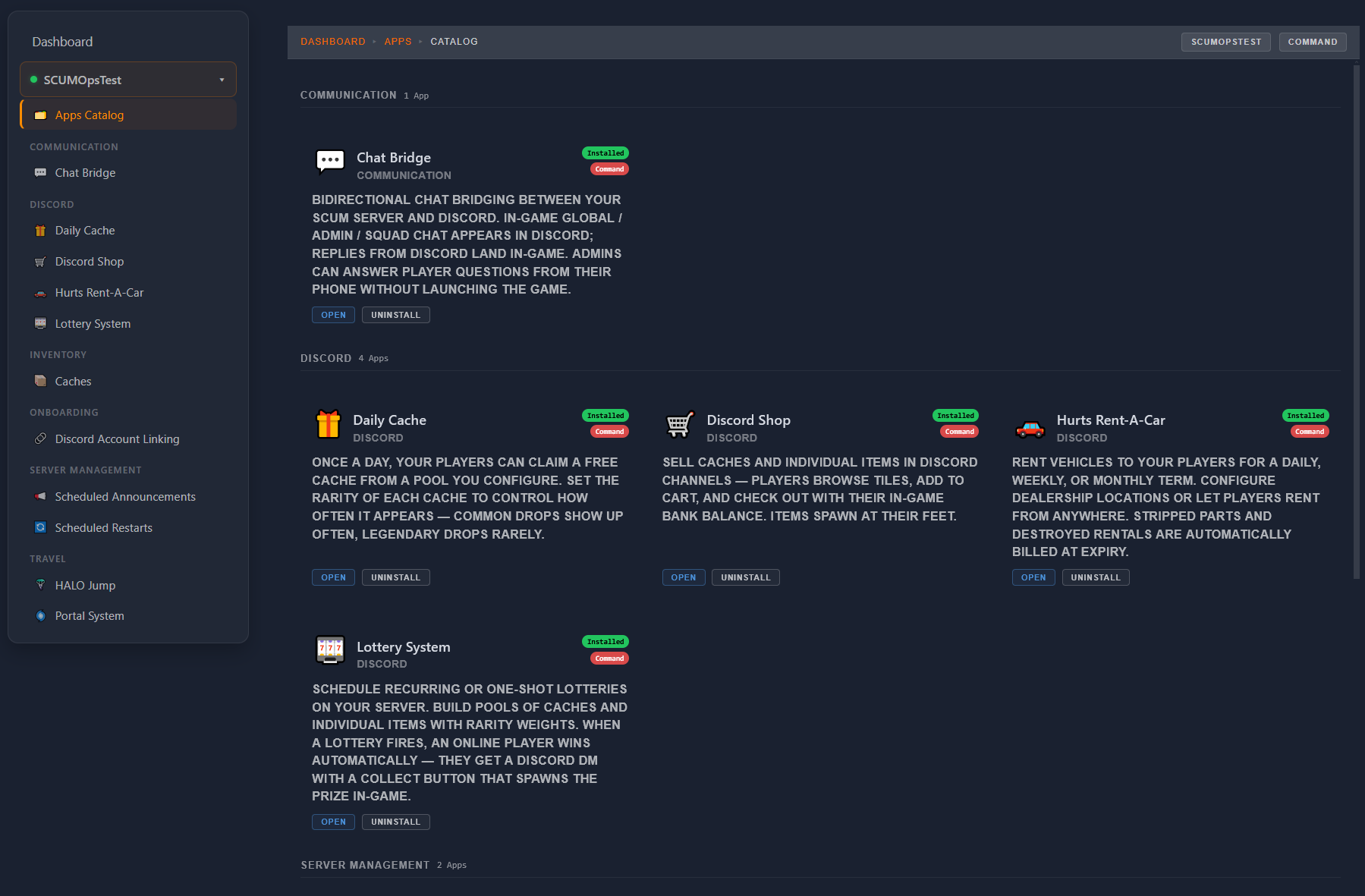
SCUMOps's app catalog lets you install only the features you want, per server. Each app is independently configured. Discord shop, vehicle rentals, scheduled restarts, in-game chat bridges, lottery systems, and more — eleven apps and counting.
  • Browse by category — Communication, Discord, Inventory, Travel, Server Management
  • Install per server — different apps active on different SCUM instances
  • Independent configuration — each app has its own setup page
  • Tier-gated — Command tier unlocks RCON-required apps
Apps Catalog
EVIDENCE LOCKER COMMAND
Anti-cheat investigation suite — built for admin discretion.
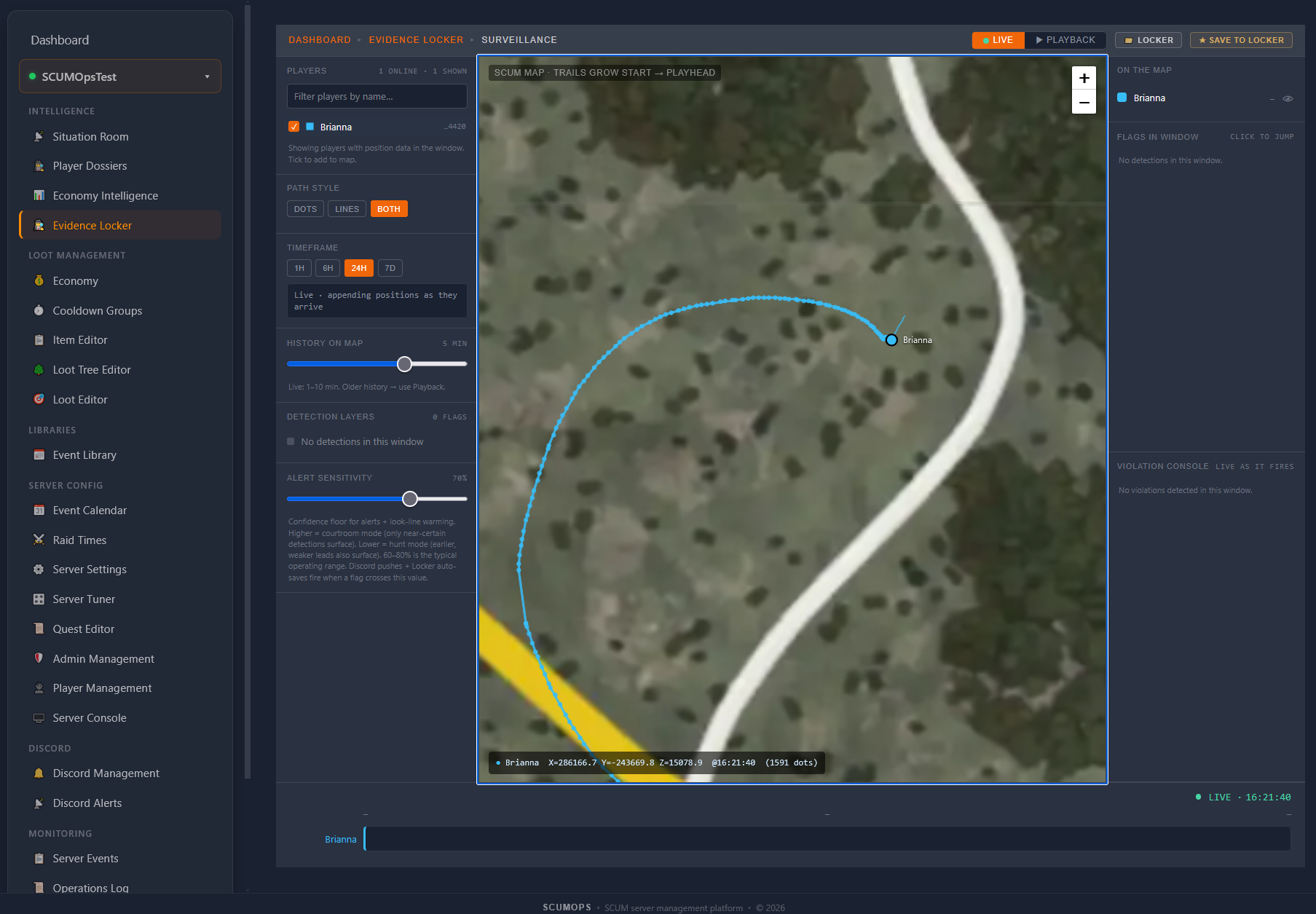
Surveillance map replay reconstructs every step a flagged player took — when they were where, what they did. Suspicion-scored detection feeds bubble up patterns, and a shared ban registry warns you about players flagged elsewhere. Strength-of-suspicion only, never accusations.
  • Surveillance map replay — see exactly where a player went
  • Detection feeds — Loot-ESP, burial, geometry exploits, stalking
  • Tunable suspicion thresholds — admins decide, not autonomous arbiters
  • Shared ban registry — flagged on other servers? You'll know.
Evidence Locker
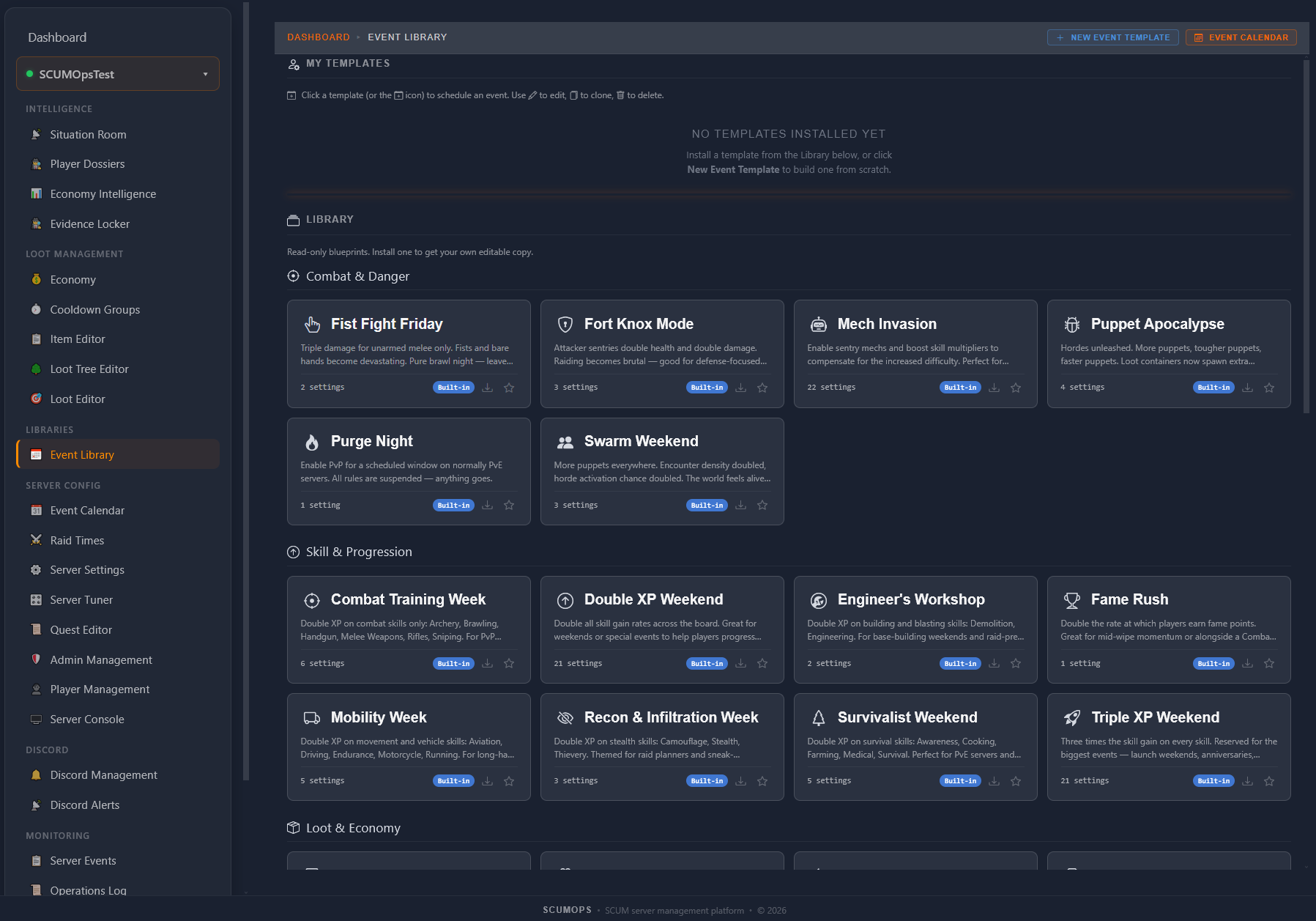
EVENT LIBRARY
Pre-built event presets — drop, configure, schedule.
Fist Fight Friday, Mech Invasion, Triple XP Weekend, Purge Night, Puppet Apocalypse — the Event Library ships with curated event presets organized by category. Drop any preset into your event calendar and customize the schedule, duration, and parameters.
  • Categorized presets — Combat & Damage, Skill & Progression, Loot & Economy
  • One-click clone — copy any preset to your custom templates
  • Tune anything — duration, schedule, parameters per event
  • Pairs with Event Calendar for a unified schedule view
Event Library
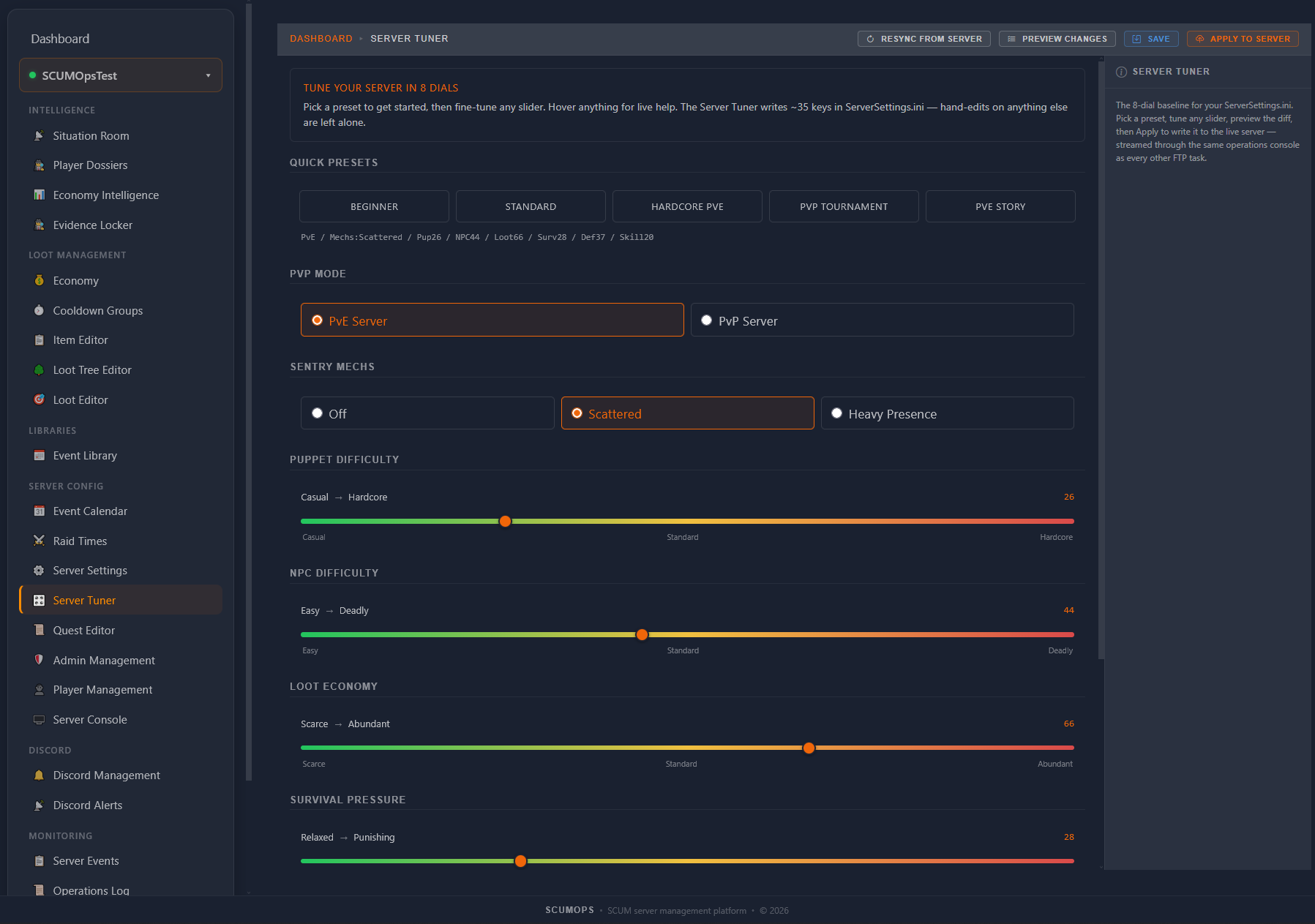
SERVER TUNER
Tune your server in 8 dials — and 5 quick presets.
Skip the spreadsheet wizards. Pick a preset (Beginner, Standard, Hardcore PVE, PvP Tournament, PVE Story) and fine-tune any axis with a slider. The Tuner writes ~35 keys in ServerSettings.ini; everything else you've customized stays untouched.
  • 8 dials — PvP/PvE, Mechs, Puppets, NPCs, Loot, Survival, Defense, Skills
  • 5 quick presets — Beginner to PvP Tournament
  • Preview the diff before you apply — see exactly what changes
  • Non-destructive — hand-edits on other settings.ini keys stay intact
Server Tuner
Everything an Admin Needs
From loot tables to player bans, from kill feeds to economy health. One platform.
🎯

Loot Editor

Visual spawner preset editor with zone-based overrides, rarity sliders, and interactive map. No JSON required.

📅

Event Scheduler

Calendar-based loot events that activate and deactivate automatically. Halloween drops, weekend PvP, holiday specials.

📈

Situation Room

Real-time event feeds — kills, chat, logins, economy, admin commands. Filter, drill, and investigate from one view.

🕵

Player Dossiers

Full player intelligence — combat style, associates, rivals, activity map, session history. Know your players.

💰

Economy Intelligence

Health grades, trend charts, anomaly detection, outpost breakdowns. Monitor and diagnose your server’s economy.

💲

Economy

22 global economy settings plus per-trader item overrides across all 4 outposts. Visual editing, one-click commit.

⚙️

Server Settings

Every server parameter — organized by category, searchable, with descriptions. Pull from server, edit, push back.

⚔️

Raid Times

Four protection types with purpose-built UI. Visual week/day calendar for Global Schedule mode.

Cooldown Groups

Weapon cooldown tiers with heat sliders. Create custom groups, reassign items, control how fast loot respawns.

🔎

Item Editor

Browse and customize 3,200+ items synced from game files. Toggle spawns, restrict locations, adjust usage values.

🌳

Loot Tree Editor

Navigate and override the 9,000+ node loot hierarchy. Add items, adjust probabilities, control what spawns where.

💬

Discord Alerts

10 feed types with rich embeds routed to your Discord channels. Kill feed, economy alerts, admin actions, and more.

🌎

Discord Management

Create channels, manage roles, set permissions, drag-and-drop reorder — all from inside ScumOps.

👥

Team Access

Invite collaborators with granular permissions. Hidden, Read, or Write access per feature. Full audit trail.

🛠

Admin & Player Management

Manage admin users and elevated players. Add, remove, and configure directly — committed to your server.

🚀

BattleMetrics

Live server rank, online player count, and status — auto-detected by IP. No configuration needed.

🧰

Apps Catalog

Modular in-game apps — Hurts Rent-A-Car, HALO Jump, Discord Shop, Daily Cache, Lottery, Portal System, Scheduled Restarts, Chat Bridge, and more. Install per server, configure per app.

🔒

Evidence Locker

Anti-cheat investigation suite — surveillance map replay, suspicion-scored detection feeds, and shared ban registry.

📆

Event Calendar

Unified schedule of every event — active and upcoming — across your server, all on one calendar.

🎰️

Server Tuner

Shape your server's personality with an 8-axis wizard — PvP/PvE, combat difficulty, loot economy, and more. Applies as your ServerSettings.ini baseline.

🖥️

Server Console

Send RCON commands to your live server — announcements, kicks, bans, weather, and more. Real-time.

📰

Server Events

Server activity log — scheduler events, alerts, exceptions, and runtime signals. Always-on observability.

📒

Operations Log

Per-server audit log — every operation, who ran it, when, and the outcome. Full accountability.

✈️

Host Migration

Move your server between hosting providers with zero downtime. Same SCUMOps integration, new host.

🗺️

Quest Editor

Coming soon — author Fetch / Elimination / Interaction quests with reward slots, tier gating, and NPC integration.
Compatibility & Partners
Works With Your Host

ScumOps works on any SCUM host that allows file management access.

Recommended Hosting Partners
Recommended Partner Slot

Reserved for a featured SCUM hosting partner.

Host one? Want this slot?

Talk to us
Simple. Transparent. No Surprises.
Start free with full monitoring and basic config tools. Go Pro when you’re ready for the full arsenal.
Monthly
Annual Save 10%
Recon
$0
forever
Full visibility into your server. One server, one admin.
  • Dashboard
  • Situation Room
  • Player Dossiers
  • Economy Intelligence
  • BattleMetrics
  • Server Settings
  • Admin & Player Management
  • Economy (download mode)
  • Raid Times (download mode)
  • 1 server
Get Started Free
Command
$20
per server / month
RCON-tier intelligence — cheat detection, surveillance replay, and real-time game-state.
Everything in Operations, plus:
  • App Studio — build your own SCUMOps apps
  • Evidence Locker (cheat detection + replay)
  • Server Console (live RCON commands)
  • Real-time player & vehicle intelligence
  • Discord Shop (Discord-to-in-game commerce)
  • Chat Bridge (SCUM ↔ Discord chat)
  • Hurts Rent-A-Car (Discord vehicle rentals)
  • HALO Jump (in-game skydive teleport)
  • Portal System (admin-defined player portals)
  • Daily Cache (player free daily claim)
  • Lottery System (auto-payout recurring lotteries)
  • Scheduled Restarts & Announcements
Get Started

Stop Fighting Config Files.
Start Running Your Server.

Join the admins who traded JSON headaches and log tables for a visual command center.

Get Started Free

Free forever · No credit card required · Upgrade anytime